
Backup — Longhorn to Cloudflare R2
A cluster without backups is a disaster waiting to happen. But the scope depends on what you already have in source control.
Frank is fully GitOps-managed. If the cluster evaporates tonight, ArgoCD restores every Deployment, Service, ConfigMap, and StorageClass in under ten minutes. The one thing it cannot restore is the contents of PersistentVolumes: the VictoriaMetrics time-series, Grafana dashboards, application state. Layer 9 protects that data.
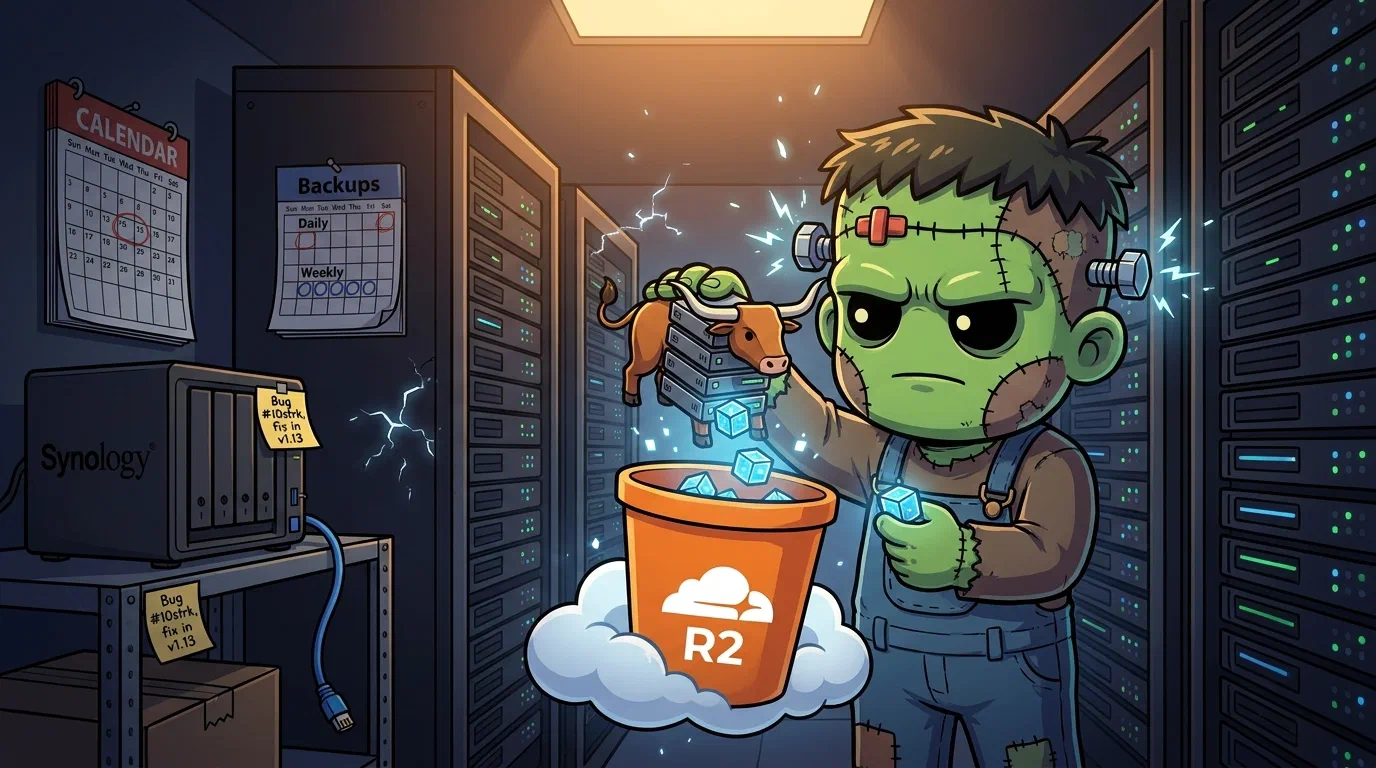
But three Longhorn 1.11 bugs and limitations turned what should have been a simple BackupTarget + RecurringJob config into a week of workarounds. Secrets OPerationSMozilla's tool for encrypting the *values* in a YAML file while leaving the keys readable, so an encrypted secret still reviews as a sensible diff.-encrypted secrets cannot live in ArgoCD manifest paths. RecurringJobs have no backupTargetName field, so you cannot route jobs to specific targets. And the Network File SystemThe long-standing protocol for mounting a remote directory as if it were local. Simple and universal; its locking semantics are the usual source of surprises. backup target is broken by a mount-path formatting bug that will not be fixed until Longhorn 1.13.
    flowchart TD
  subgraph Sources[Data Sources]
    VM[VictoriaMetrics<br/>20Gi PVC]
    Grafana[Grafana<br/>1Gi PVC]
    Apps[App PVCs]
  end
  subgraph Longhorn[Longhorn Backup System]
    Recurring[RecurringJob<br/>daily + weekly]
    BT[BackupTarget: R2<br/>S3-compatible]
    Snap[Snapshot → Backup]
  end
  subgraph Storage[Cloudflare R2]
    Daily[Daily backup<br/>7 day retention]
    Weekly[Weekly backup<br/>4 week retention]
  end

  VM --> Recurring
  Grafana --> Recurring
  Apps --> Recurring
  Recurring --> Snap
  Snap --> BT
  BT --> Daily
  BT --> Weekly
Why Not Velero
The default answer to “Kubernetes backup” is Velero. It backs up API objects and PersistentVolumeClaimA Kubernetes request for durable storage. The pod names a claim and the storage layer — Longhorn on Frank — binds real disk behind it, so the data outlives the pod. data, handles restores, and has broad ecosystem support. For clusters where workload configuration is not in source control, it is genuinely the right tool.
For Frank, Velero’s job overlaps almost entirely with what git and ArgoCD already provide. That leaves only PVC data backup, which Longhorn handles natively with a richer snapshot model, a first-class UI, and no extra control-plane components. No Velero. Longhorn does the work.
The Backup Architecture
Longhorn uses two CustomResourceDefinitionThe object that teaches the Kubernetes API a new resource type. Install a CRD and the API server starts serving a kind it has never heard of, with validation and RBAC like any built-in. for backup:
BackupTargetdefines where backups are stored: an NFS or S3-compatible endpoint.RecurringJobdefines a schedule applied to a group of volumes.
Both live in longhorn-system and are picked up by the existing longhorn-extras ArgoCD Application. No new app needed.
One thing the CRD reference does not spell out, and which matters later: a RecurringJob materialises as an ordinary Kubernetes CronJob in the same namespace, carrying the same name. The Longhorn manager creates it and the standard Kubernetes scheduler runs it. That is verifiable rather than folklore:
$ kubectl -n longhorn-system get cronjob
NAME        SCHEDULE    TIMEZONE   SUSPEND   ACTIVE   LAST SCHEDULE   AGE
daily-nas   0 2 * * *   <none>     False     0        19h             142d
weekly-r2   0 3 * * 0   <none>     False     0        2d18h           142d
Two RecurringJobs in, two CronJobs out, same names, same cron expressions. Remember that, because the alert at the end of this post watches the CronJob rather than the backup, and this is the join that makes it almost work.
The original plan was dual-target: a local Network Attached StorageA box whose job is serving files over the network, typically via NFS or SMB — storage as an appliance rather than as a cluster service. (NFS) for fast daily restores, and Cloudflare R2 for offsite weekly backups. Execution surfaced three Longhorn 1.11 limitations that changed the final shape.
Gotcha 1: SOPS Secrets vs ArgoCD ServerSideApply
The R2 API credentials need to be a Kubernetes Secret. The repo uses SOPS/age encryption — files matching *.yaml have their data and stringData fields encrypted at rest.
The natural instinct is to drop r2-secret.yaml into apps/longhorn/manifests/ alongside the other Longhorn Custom ResourceAn object of a type Kubernetes did not ship with, added by a CRD. Frank's ArgoCD Applications, Rollouts and Tekton Pipelines are all CRs.. This fails:
failed to create typed patch object (longhorn-system/longhorn-r2-secret; /v1, Kind=Secret):
.sops: field not declared in schema
ArgoCD’s ServerSideApply=true mode strictly validates against the resource schema. The SOPS metadata (.sops.creation_rules, .sops.mac) is not in the Kubernetes Secret schema, so server-side apply rejects it.
The fix: move the encrypted secret outside the ArgoCD-managed path. It lives at secrets/longhorn/r2-secret.yaml, in git and encrypted, but applied by hand:
sops --decrypt secrets/longhorn/r2-secret.yaml | kubectl apply -f -The longhorn-extras Application gets ignoreDifferences on the Secret’s /data field so ArgoCD does not fight over the difference between encrypted-in-git and decrypted-in-cluster:
ignoreDifferences:
  - group: ""
    kind: Secret
    name: longhorn-r2-secret
    namespace: longhorn-system
    jsonPointers:
      - /data
The lesson: SOPS-encrypted secrets and ArgoCD ServerSideApply do not mix in a raw manifest path. Encrypted secrets need to be applied out-of-band, or a SOPS decryption plugin (Kustomize SOPSA Kustomize plugin that decrypts SOPS-encrypted manifests during a build, so encrypted secrets can live in Git alongside everything else.) needs to be wired into ArgoCD.
Gotcha 2: RecurringJob Has No backupTargetName
The original plan had two RecurringJob CRs: daily-nas pointing at the NAS, weekly-r2 pointing at R2. The manifests included spec.backupTargetName to route each job to its respective target.
ArgoCD rejected both:
failed to create typed patch object:
.spec.backupTargetName: field not declared in schema
Querying the CRD confirms it:
kubectl get crd recurringjobs.longhorn.io -o json \
| jq '[.spec.versions[] | select(.name=="v1beta2") | .schema.openAPIV3Schema.properties.spec.properties | keys] | flatten'["concurrency", "cron", "groups", "labels", "name", "parameters", "retain", "task"]No backupTargetName. RecurringJobs in Longhorn 1.11 always use the BackupTarget literally named default, and there is no per-job target selection. Filed as GitHub issue #11392. No resolution timeline.
The fix: remove backupTargetName from both manifests. Both jobs target default, whatever that points to.
Gotcha 3: NFS Backup Target Broken in Longhorn 1.11
With the RecurringJob fix in place, attention shifted to the NFS BackupTarget. The NAS was configured, the NFS export verified with showmount, permissions set for the subnet. The BackupTarget still showed AVAILABLE: false.
mount.nfs4: remote share not in 'host:dir' formatThe mount command Longhorn generates:
mount -t nfs4 -o nfsvers=4.2,actimeo=1,soft,timeout=300,retry=2
  192.168.50.42/volume1/frank-backup
  /var/lib/longhorn-backupstore-mounts/...
The share argument is 192.168.50.42/volume1/frank-backup. The mount.nfs4 utility requires host:/path format, with a colon where Longhorn wrote a slash. This is a confirmed bug in Longhorn’s NFS backup store driver (GitHub #11412), targeted for Longhorn 1.13. No backport to 1.11.x.
The NAS target is stubbed out, ready to re-enable when 1.13 ships:
## NFS backup target — disabled pending Longhorn bug fix
## https://github.com/longhorn/longhorn/issues/11412
#
# apiVersion: longhorn.io/v1beta2
# kind: BackupTarget
# metadata:
#   name: nas
# spec:
#   backupTargetURL: "nfs://192.168.50.42/volume1/frank-backup"
What Actually Got Deployed
Two RecurringJobs, one working BackupTarget, both jobs pointing at R2:
kubectl get backuptargets -n longhorn-system
# NAME      URL                                 CREDENTIAL           AVAILABLE
# default   s3://frank-longhorn-backups@auto/   longhorn-r2-secret   true

kubectl get recurringjobs -n longhorn-system
# NAME        GROUPS        TASK     CRON        RETAIN   CONCURRENCY
# daily-nas   ["default"]   backup   0 2 * * *   7        2
# weekly-r2   ["default"]   backup   0 3 * * 0   4        1
daily-nas and weekly-r2 keep their original names. Those names describe intent, not current routing, and both jobs go to R2.
Nothing about that reverses on its own when Longhorn 1.13 ships. It is worth being exact, because “re-enable the NAS” sounds like uncommenting one file and is not. The stubbed manifest declares a BackupTarget named nas, and RecurringJobs can only ever use the one named default (Gotcha 2). Uncommenting it therefore creates a second, entirely idle target and changes nothing about where backups go. Routing daily backups to the NAS means editing apps/longhorn/manifests/backup-target-default.yaml so that the target called default points at the NFS URL, which is a deliberate git change made by a human who has first confirmed the mount bug is actually fixed on the running version.
Cloudflare R2
R2’s free tier includes 10 GB storage and 1 million Class A operations per month. The cluster’s actual data footprint is a few gigabytes: VictoriaMetrics time-series, Grafana config, a handful of application PVCs. Monthly cost: zero.
What Is Protected Now
Every volume in the default group gets:
- Daily backup to R2 at 02:00, 7 recovery points (one week)
- Weekly backup to R2 on Sunday at 03:00, 4 recovery points (one month)
| Scenario | Recovery path | Estimated Recovery Time ObjectiveHow long a service may stay down after a failure before the outage is unacceptable. A target that dictates backup design, not a measurement. |
|---|---|---|
| Volume corruption | Longhorn UI → restore from latest daily | ~10 min |
| Node failure | Longhorn replicas absorb it | 0 |
| Full cluster loss | ArgoCD re-applies resources, restore PVCs from R2 | ~30–60 min |
Those figures are estimates, and I want to be precise about what kind. The node-failure row is measured: replicas absorb node loss here regularly and it costs nothing. The other two are arithmetic on volume sizes and R2 throughput. No restore drill has been run on this cluster. Nobody has timed an operator who has never done it before enumerating the bootstrap secrets, applying them in the right order, waiting for Longhorn to re-attach, and sequencing workload scale-up around strategy: Recreate. Until that happens, treat the bottom row as a guess with a plausible shape rather than a number you could plan around.
Verify a backup actually ran
Three commands, working from the whole system down to one volume. First, is the target reachable at all:
$ kubectl get backuptargets.longhorn.io -n longhorn-system -o wide
NAME      URL                                 CREDENTIAL           LASTBACKUPAT   AVAILABLE   LASTSYNCEDAT
default   s3://frank-longhorn-backups@auto/   longhorn-r2-secret   5m0s           true        2026-07-28T21:20:30Z
AVAILABLE true with a LASTSYNCEDAT from minutes ago is what healthy looks like. If the R2 credential expires or the bucket policy changes, this flips to false and stays there quietly. Longhorn does not stop working, it just stops backing up.
Second, are the schedules still there:
$ kubectl get recurringjobs.longhorn.io -n longhorn-system
NAME        GROUPS        TASK     CRON        RETAIN   CONCURRENCY   AGE
daily-nas   ["default"]   backup   0 2 * * *   7        2             142d
weekly-r2   ["default"]   backup   0 3 * * 0   4        1             142d
Both target ["default"], which is R2 for both, for the naming reasons above.
Third, and this is the one that matters: did a specific volume actually get backed up? You need the PV name, not the PVC name, and the label is backup-volume:
$ V=$(kubectl -n monitoring get pvc victoria-metrics-grafana -o jsonpath='{.spec.volumeName}')
$ kubectl get backups.longhorn.io -n longhorn-system \
    -l backup-volume=$V --sort-by=.metadata.creationTimestamp | tail -6
backup-6f4c3a90247e4609   daily-na-a7909f46-…   922746880   2026-07-24T02:22:22Z   default   Completed   2026-07-24T02:23:45Z
backup-e87d156090db4bdf   daily-na-506b7f8a-…   922746880   2026-07-25T02:22:32Z   default   Completed   2026-07-25T02:24:38Z
backup-ed084a6562e34dc9   daily-na-6ad015a4-…   922746880   2026-07-26T02:32:57Z   default   Completed   2026-07-26T02:34:24Z
backup-084c177a7b5d4179   weekly-r-cbcc92bd-…   922746880   2026-07-26T03:27:11Z   default   Completed   2026-07-26T03:27:30Z
backup-16248512e0754f47   daily-na-58d2d3d8-…   922746880   2026-07-27T02:14:19Z   default   Completed   2026-07-27T02:15:43Z
backup-b9d5927a894d4fa6   daily-na-c8d28c1c-…   922746880   2026-07-28T02:50:50Z   default   Completed   2026-07-28T02:51:54Z
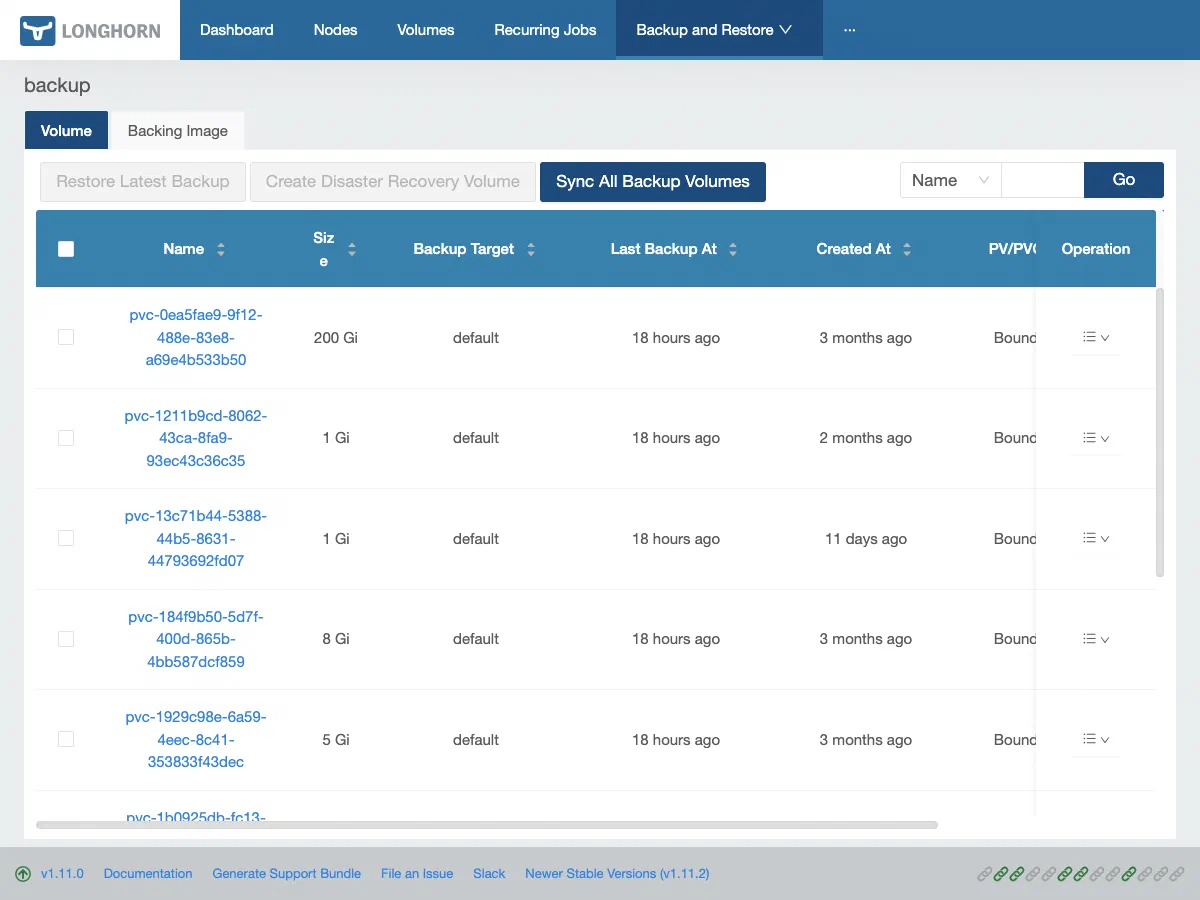
One per day, a weekly on Sunday, all Completed. The same view exists in the UI under Backup and Restore, which is also where the restore button lives:
A warning about that third command, because it cost me time. Longhorn does have a longhornvolume label, and it is on replicas.longhorn.io and engines.longhorn.io, so it is the label you reach for by habit. On a Backup object it simply does not exist:
$ kubectl get backups.longhorn.io -n longhorn-system -l longhornvolume=$V
No resources found in longhorn-system namespace.
That is not “no backups”. That is a typo in a selector, reported in the exact words you would use to describe a catastrophe. A verification command that returns empty on the wrong label and empty on genuine data loss cannot tell you which one you are looking at. Check the label spelling against kubectl get backups.longhorn.io -o json | jq '.items[0].metadata.labels' before you believe an empty result.
What the alert watches, which is not the backup
There is a Grafana rule for this layer, and it is worth reading its source rather than its name. layer-9-backup-stale fires when the last successful run of the daily-nas CronJob is more than 48 hours old, or weekly-r2 more than 10 days. It is built on kube_cronjob_status_last_successful_time, which works only because of the RecurringJob-to-CronJob mapping verified at the top of this post: the metric is about a Kubernetes CronJob, and Longhorn’s scheduler happens to be one.
The substitution is declared in the manifest, four lines above the rule itself:
# apps/grafana-alerting/manifests/alert-rules-cm.yaml:975-978
# Per-cronjob: one alert per backup CronJob whose last successful run is
# stale. DEFERRED: the original plan targeted longhorn_backup_* metrics
# for per-volume backup age — those aren't scraped. Using kube_cronjob
# last-success as a proxy for now.
So the alert watches the scheduler, not the backup. It pages if the schedule dies. It is blind to a schedule that fires perfectly every night while producing backups nobody can read.
Missteps
| What Happened | Why It Was Wrong | How We Fixed It | Commit |
|---|---|---|---|
SOPS-encrypted secret in ArgoCD manifest path — ServerSideApply rejected the .sops metadata not in the Secret schema | The file was placed in apps/longhorn/manifests/ where ArgoCD tries to server-side-apply it; SOPS metadata violates the schema | Moved encrypted secrets to secrets/longhorn/, applied out-of-band with sops --decrypt | kubectl apply -f -, added ignoreDifferences on /data | cea0dad8 |
RecurringJob lacked backupTargetName field — the CRD does not support per-job target selection, so two distinct targets were impossible | The field was assumed to exist based on the BackupTarget CRD pattern; Longhorn 1.11’s RecurringJob CRD simply does not have it | Removed backupTargetName from both manifests; both jobs target the default BackupTarget | 9fd060fc |
NFS backup target broken by slash vs colon in mount path — Longhorn generates 192.168.50.42/path instead of 192.168.50.42:/path | Confirmed upstream bug (longhorn#11412) in the NFS backup store driver; fix targeted for Longhorn 1.13 | Stubbed the NFS target as commented manifest; switched default to Cloudflare R2 | 3df7c9ad |
What transfers
Passing every backup check proves a backup ran. It never proves it restores.
Every artefact in this post lives on the write side of that sentence. AVAILABLE: true means the credential authenticates. Completed means bytes were accepted by an endpoint. The alert means a scheduler is still ticking. Not one of them has read a single byte back, and no arrangement of them ever will, because reading back is a different operation that nothing here performs.
That is not a Longhorn defect and it does not get better with a different tool. Velero, pg_dump to a bucket, a rsync cron, a managed snapshot service: all of them report success at the moment the write is acknowledged, because that is the last event they observe. The gap between “my backups are green” and “I can get my data back” is the entire discipline, and it is closed by exactly one thing: a restore drill, timed, by someone who has not done it before.
Two smaller rules follow, and both are cheap enough to adopt today:
A check that returns empty when you are wrong and empty when you are ruined is not a check. The longhornvolume selector above is a real label on two other Longhorn kinds and absent on this one, so the mistake is a plausible one and the output is No resources found, indistinguishable from total data loss. Before you trust an empty result at 2am, prove the query can produce a non-empty one.
Read what an alert actually queries, not what it is called. layer-9-backup-stale is an honest rule with an honest comment, and it still cannot see the failure its name implies. Any monitor built on a proxy metric inherits the proxy’s blind spots, and the only way to know which ones is to open the manifest.
Until the drill is run, the bottom row of that Recovery Time ObjectiveHow long a service may stay down after a failure before the outage is unacceptable. A target that dictates backup design, not a measurement. table stays a guess with a plausible shape, and this layer’s real status is “backups exist” rather than “data is recoverable”. Those are different claims. Only one of them is tested.
References
- Longhorn Backup Documentation — BackupTarget and RecurringJob CRD reference
- Longhorn issue #11392 — RecurringJob lacks backupTargetName
- Longhorn issue #11412 — NFS mount path bug, targeted for v1.13.0
- Cloudflare R2 Documentation — bucket setup, S3 compatibility
- SOPS Documentation — age encryption,
.sops.yamlconfig
Next: Secrets Management — Infisical + External Secrets Operator