
Paperclip — An AI Agent Orchestrator on Frank
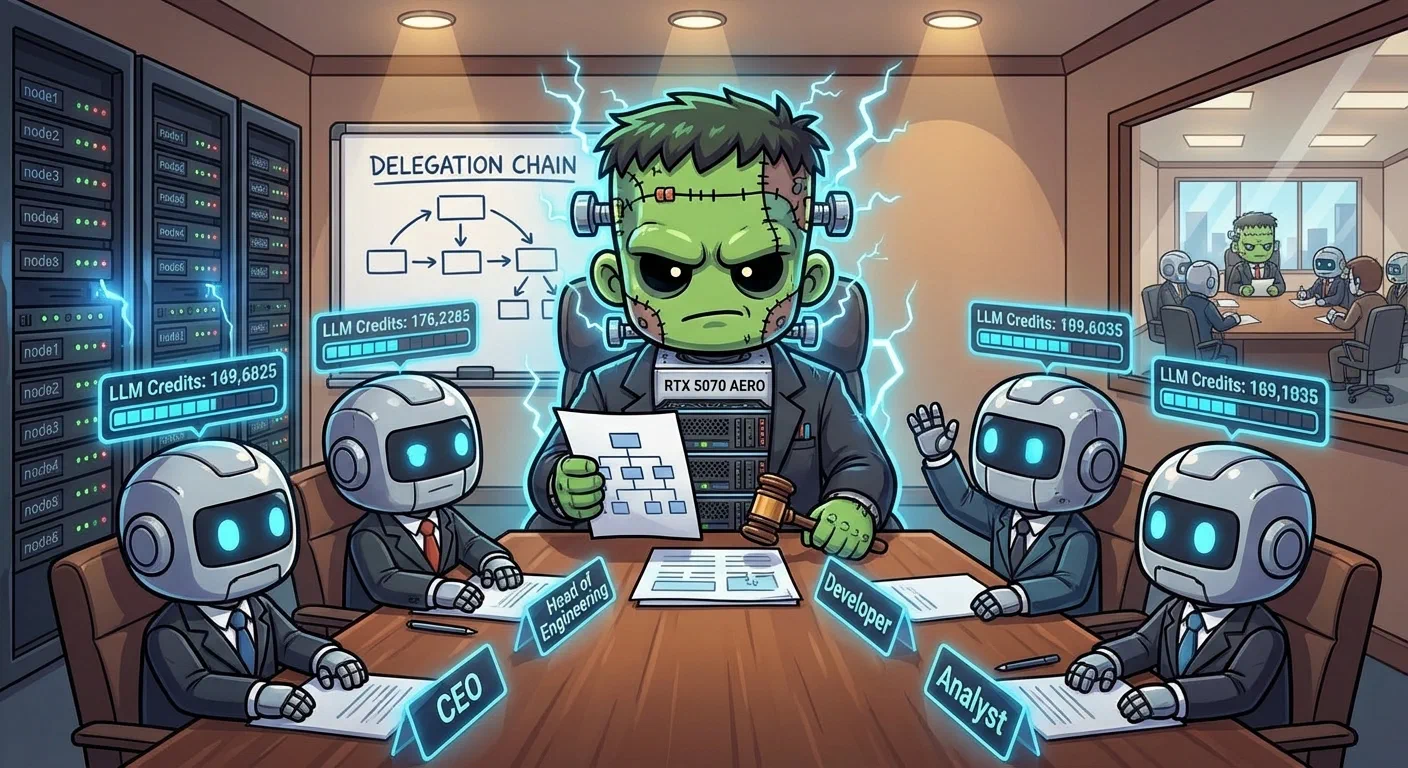
Layer 11 gave the cluster a Kubernetes-native agentic control plane — Sympozium, where agents are Pods and policies are CustomResourceDefinitionThe object that teaches the Kubernetes API a new resource type. Install a CRD and the API server starts serving a kind it has never heard of, with validation and RBAC like any built-in.. Layer 15 adds a second perspective. Paperclip organises agents differently — into virtual companies with org charts, budgets, reporting lines, and governance. Where Sympozium asks “which Kubernetes primitive models this agent?”, Paperclip asks “what role would this agent have in a company?”.
Both run side by side. The cluster makes the comparison.
    flowchart LR
  subgraph Paperclip[Paperclip — paperclip-system]
    App[paperclip Deployment<br/>ghcr.io/paperclipai/paperclip]
    Shell[paperclip-shell sidecar<br/>SSH: 192.168.55.221]
    DB[paperclip-db StatefulSet<br/>Bitnami PostgreSQL 14.1.10<br/>5Gi Longhorn]
    PVC[paperclip-data PVC<br/>10Gi Longhorn<br/>shared between containers]
    Secrets[ExternalSecrets<br/>4 from Infisical]
  end
  subgraph LLM[LiteLLM Gateway]
    LL[litellm.litellm.svc:4000]
  end
  subgraph Operator[Operator Access]
    SSH[SSH + Mosh<br/>192.168.55.221:22]
    UI[Paperclip UI<br/>192.168.55.212:3100]
  end

  App -->|DATABASE_URL| DB
  App -->|OPENAI_API_KEY + BASE_URL| LL
  App --> Shell
  App -->|envFrom| Secrets
  Shell -->|shared /paperclip| App
  UI --> App
  SSH --> Shell
Architecture
Two ArgoCD apps, ordered by sync-wave. The paperclip Application carries argocd.argoproj.io/sync-wave: "1", so every resource in it waits for wave 0 — the database — to report Healthy before it is applied:
    flowchart LR
  subgraph Wave0[Sync Wave 0]
    DB[paperclip-db<br/>Bitnami PostgreSQL<br/>5Gi Longhorn]
  end
  subgraph Wave1[Sync Wave 1]
    P[paperclip<br/>Deployment]
    ES[ExternalSecrets × 4<br/>from Infisical]
    PVC[paperclip-data<br/>10Gi Longhorn<br/>RWO]
    LB[LoadBalancer<br/>192.168.55.212:3100]
  end

  DB --> P
  DB --> ES
  DB --> PVC
  DB --> LB
| App | Chart | Purpose |
|---|---|---|
paperclip-db | Open Container InitiativeThe body behind the standard image and runtime formats. "OCI registry" means any registry speaking that standard, not a specific vendor's. Bitnami postgresql 14.1.10 | PostgreSQL, image from mirror.gcr.io/bitnamilegacy |
paperclip | Raw manifests | Deployment, ExternalSecrets, PersistentVolumeClaimA Kubernetes request for durable storage. The pod names a claim and the storage layer — Longhorn on Frank — binds real disk behind it, so the data outlives the pod., Service |
Deploying the Database
The PostgreSQL mirror problem is the same as Infisical’s Layer 9: Bitnami no longer serves named image tags from Docker Hub. Override the registry to mirror.gcr.io/bitnamilegacy:
image:
  registry: mirror.gcr.io
  repository: bitnamilegacy/postgresql
metrics:
  enabled: true
  image:
    registry: mirror.gcr.io
    repository: bitnamilegacy/postgres-exporter
Deploying the Application
Paperclip does not publish its own public image at the time of writing. The project ships a Dockerfile; building is left to the operator. The cluster initially maintained a fork at ghcr.io/derio-net/paperclip, built with:
docker buildx build --platform linux/amd64 \
  -t ghcr.io/derio-net/paperclip:v0.3.1 --push .
Since v2026.428.0, Paperclip ships an upstream public image at ghcr.io/paperclipai/paperclip. The cluster now uses that directly — no fork, no imagePullSecret.
Probe Behaviour in Private Mode
Paperclip runs in authenticated mode with private exposure. In this configuration the root path / returns 403 to any request not from localhost. The kubelet issues readiness probes from the node IP, so httpGet probes against / or /api/health get 403 and the pod never becomes Ready.
The fix is a TCP socket probe — it checks that port 3100 accepts connections without making an HTTP request:
readinessProbe:
  tcpSocket:
    port: http
  periodSeconds: 10
livenessProbe:
  tcpSocket:
    port: http
  initialDelaySeconds: 30
  periodSeconds: 15
PVC Rollout Deadlock
The /paperclip data volume uses ReadWriteOnce — only one pod can hold the claim at a time. During rolling updates the Deployment creates the new pod before terminating the old one. The new pod tries to attach the PVC and stalls with Multi-Attach error.
Scale the old ReplicaSet to zero manually to release the PVC:
kubectl scale deployment paperclip -n paperclip-system --replicas=0
# wait for PVC to release
kubectl scale deployment paperclip -n paperclip-system --replicas=1
For a single-replica stateful app backed by RWO, a Recreate deployment strategy avoids this entirely — kill the old pod first, then start the new one.
Volume Permissions (fsGroup)
The Dockerfile does chown node:node /paperclip before USER node. When Longhorn mounts the PVC over /paperclip, the mounted directory is owned by root and the chown in the image never runs again. The node user (uid 1000) cannot write to it:
spec:
  securityContext:
    fsGroup: 1000
fsGroup tells Kubernetes to chown the mounted volume to gid 1000 before handing it to the container.
Secret Management
Four ExternalSecrets sync from Infisical, all consumed via envFrom:
| Secret | Keys | Optional |
|---|---|---|
paperclip-llm-key | OPENAI_API_KEY + OPENAI_BASE_URL → LiteLLM | No |
paperclip-auth | BETTER_AUTH_SECRET | No |
paperclip-brave | BRAVE_API_KEY → Brave Search | Yes |
paperclip-resend | RESEND_API_KEY → transactional email | Yes |
The database password comes from the Bitnami chart auto-generated Secret, referenced via secretKeyRef and Kubernetes variable expansion:
env:
  - name: PG_PASSWORD
    valueFrom:
      secretKeyRef:
        name: paperclip-db-postgresql
        key: password
  - name: DATABASE_URL
    value: "postgres://paperclip:$(PG_PASSWORD)@paperclip-db-postgresql.paperclip-system.svc:5432/paperclip"
Memory Tuning and the Move to gpu-1
The original Deployment had requests.memory: 256Mi and limits.memory: 1Gi. This guess was wrong twice.
Round 1 (1Gi → 2Gi): After GEMINI_API_KEY was added, the container started OOMKilling every five minutes. The Google AI SDK appears to eagerly init when its env var is present. Bumping the limit to 2Gi got the pod through boot.
Round 2 (2Gi → 12Gi, on gpu-1): Two hours later, OOMKilled again under load. The core-zone mini nodes (control plane + dozens of services) did not have 12Gi to spare. gpu-1 was at ~20% of 128GB. Paperclip moved:
nodeSelector:
  kubernetes.io/hostname: gpu-1
tolerations:
  - key: nvidia.com/gpu
    effect: NoSchedule
resources:
  requests:
    memory: 512Mi
    cpu: 250m
  limits:
    memory: 12Gi
    cpu: "1"
Paperclip does not request a GPU. gpu-1 is the cluster’s biggest CPU/RAM box — the “anything that needs more than 64GB” node. The nvidia.com/gpu:NoSchedule toleration is defensive: the GPU operator can re-assert the taint during driver validation, and any non-GPU workload pinned to gpu-1 without the toleration would be evicted on the spot.
Shell Sidecar
After weeks of production use, the friction with kubectl exec got hard to ignore — lost tmux state on disconnect, no ~/.ssh/config entry, no mosh over flaky connections. The instinct was to install sshd into the upstream Paperclip container. We deliberately rejected that: forking the image to add sshd puts us back on the upstream-rebase treadmill.
The answer is a separate sibling container in the same Pod:
    flowchart LR
  subgraph Pod[paperclip Deployment Pod]
    PC[paperclip container<br/>ghcr.io/paperclipai/paperclip<br/>port 3100]
    PSH[paperclip-shell container<br/>ghcr.io/derio-net/paperclip-shell<br/>port 22 + mosh UDP]
    PVC[paperclip-data PVC<br/>10Gi Longhorn<br/>shared RW]
    SHOME[paperclip-shell-home PVC<br/>20Gi Longhorn<br/>RWO]
  end
  subgraph Network
    LB1[LB 192.168.55.212:3100<br/>Paperclip API]
    LB2[LB 192.168.55.221:22<br/>SSH + Mosh]
  end

  PC -->|envFrom| Secrets
  PC -->|mount /paperclip| PVC
  PSH -->|mount /paperclip| PVC
  PSH -->|mount /home/agent| SHOME
  LB1 --> PC
  LB2 --> PSH
The upstream container is bit-identical — same image, same env, same probes. The shell sidecar runs alongside, sharing the paperclip-data PVC at /paperclip and exposing SSH + Mosh on a separate LoadBalancer IP 192.168.55.221.
Three-Layer Install Model
| Layer | Where | Cadence | Examples |
|---|---|---|---|
| 1 — Runtime managers | Image | Slow (image rebuild) | mise, rustup, pipx, sshd, mosh, tmux |
| 2 — Tool inventory | ConfigMap | Medium (commit + sync) | python@3.12, node@20, ripgrep, claude-code |
| 3 — Interactive | Operator | On demand | cargo install fd-find over SSH |
Layer 1 is the image — ghcr.io/derio-net/paperclip-shell, a thin extension of agent-shell-base.
Layer 2 is the ConfigMap. On every container boot, cont-init.d/40-shell-inventory reads a YAML tool inventory, queries each manager (mise, npm-global, pipx, cargo), computes the diff, and converges. Idempotent — sub-second no-op when nothing changed.
Layer 3 is the escape hatch. SSH in, install something ad-hoc, decide later if it earns a slot in the inventory. State lives on paperclip-shell-home (20Gi ReadWriteOnceA PVC access mode that lets exactly one node mount the volume read-write at a time. It is the reason a RollingUpdate deadlocks: the replacement pod cannot mount the volume until the outgoing pod releases it. PVC at /home/agent), so it survives pod restarts.
Fail-Open with Telegram Alerting
The installer fails open: on any non-zero exit, it fires a Telegram message via @agent_zero_cc_bot (reusing FRANK_C2_TELEGRAM_BOT_TOKEN / FRANK_C2_TELEGRAM_CHAT_ID from Infisical). The Message of the DayThe banner printed on login. On Frank's agent shells it reports tool versions and credential state, which makes it a status display rather than decoration — and a misleading one if it only checks presence. on next login shows the failure summary. Three visibility layers:
kubectl logs paperclip -c paperclip-shell— full installer output- MOTD on SSH login — last-reconcile summary
- Telegram message — within seconds of pod boot
Layer 3 is the load-bearing one. We do not notice (2) unless we SSH in. Layer 3 interrupts.
Missteps
| What Happened | Why It Was Wrong | How We Fixed It | Commit |
|---|---|---|---|
HTTP probes get 403 in private mode — kubelet probes from node IP, but Paperclip’s / returns 403 to non-localhost | Paperclip’s private exposure denies all non-localhost HTTP | Switched from httpGet to tcpSocket probes | — |
| PVC rollout deadlock — new pod cannot attach RWO PVC until old pod releases it; rolling update creates new pod first | Default RollingUpdate strategy creates new pod before terminating old one | Scale old ReplicaSet to zero manually; or use Recreate strategy | — |
fsGroup missing — PVC owned by root — node user (uid 1000) cannot write to /paperclip | Dockerfile chown runs at image build, does not re-run on PVC mount | Added fsGroup: 1000 to pod securityContext | — |
| Initial memory limit 1Gi too low — container OOMKilled under agent load | Memory guess inherited from fork-era image, never re-validated | Bumped to 12Gi on gpu-1 | — |
| arm64-only image pushed — build machine defaulted to native arch; cluster nodes are amd64 | docker buildx build without --platform linux/amd64 | Added explicit platform flag | — |
Optional secrets blocking rollout — missing imagePullSecret caused CreateContainerConfigError, old pod stayed alive with PVC locked | Any secretRef for a non-essential feature should be optional: true | Marked optional secrets with optional: true | — |
Recovery Path
| Symptom | Cause | Fix |
|---|---|---|
| Pod never Ready | HTTP probe gets 403 from private mode | Use tcpSocket probe instead of httpGet |
| Pod stuck Multi-Attach error | Rolling update + RWO PVC | Scale old RS to 0; consider Recreate strategy |
| Pod CrashLoopBackOff with exit 137 | OOMKilled — memory limit too low | Check kubectl logs --previous; bump limits |
| Pod CrashLoopBackOff with permission errors | fsGroup not set | Add securityContext.fsGroup: 1000 |
| New pod stuck CreateContainerConfigError | Missing secret (optional one not provisioned) | Add optional: true to the secretRef |
| SSH unreachable on 192.168.55.221 | Shell sidecar not starting | Check kubectl logs paperclip -c paperclip-shell |
| Agent JSON Web TokenA signed, self-describing token carrying claims — who you are, what you may do, when it expires. Readable by anyone holding it, so the expiry and signature are the only things protecting it. missing on first boot | Need to run onboard command | kubectl exec -n paperclip-system deploy/paperclip -- pnpm paperclipai onboard |
References
- Paperclip — Agent orchestrator
apps/paperclip/— Deployment, values, manifestsapps/paperclip-extras/— Shell sidecar PVC, ConfigMapsapps/paperclip/manifests/configmap-shell-inventory.yaml— Tool inventory