
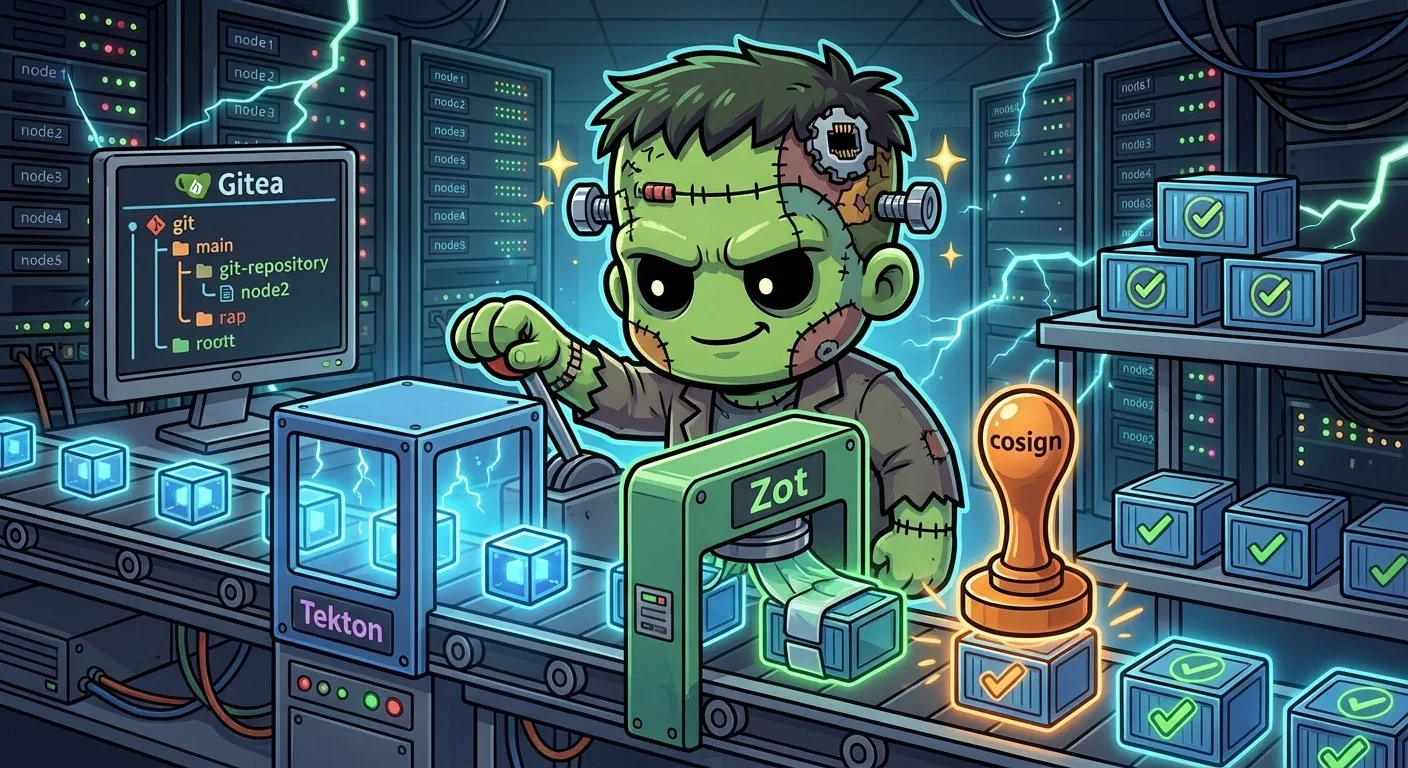
CI/CD Platform — Gitea, Tekton, Zot, and Cosign
For 25 layers, every container image Frank ran came from somewhere else — Docker Hub, GitHub Container RegistryGitHub's OCI registry at `ghcr.io`. Where Frank's CI-built images are published before ArgoCD rolls them out., upstream Helm charts. The cluster consumed images but never built them.
This post changes that. We deploy a complete CI/CD platform on pc-1: Gitea mirrors GitHub repos locally, Tekton runs webhook-driven pipelines, Zot stores Open Container InitiativeThe body behind the standard image and runtime formats. "OCI registry" means any registry speaking that standard, not a specific vendor's. container images, and cosign signs every image that comes out. All four are ArgoCD-managed, secrets flow through Infisical.
Architecture
    flowchart TD
  subgraph GitHub
    FR[derio-net/frank]
    AS[agentic-stoa repos]
  end
  subgraph CICD[pc-1 — longhorn-cicd StorageClass]
    subgraph Gitea[gitea — 192.168.55.209]
      GM[GitHub pull mirrors]
      WH[Webhook → Tekton]
    end
    subgraph Tekton[tekton-pipelines]
      EL[EventListener /gitea-listener]
      ELGH[EventListener /el-github-listener]
      PIPE[gitea-ci Pipeline]
      PIPE2[github-pull-sync Pipeline]
    end
    subgraph Zot[zot — 192.168.55.210]
      REG[OCI Registry :5000<br/>cert-manager TLS]
    end
  end
  subgraph Cosign[Pipeline Stage]
    SIGN[cosign sign]
  end
  subgraph Hop[Hop Edge — webhooks.hop.derio.net]
    CAD[Caddy relay]
  end

  FR -->|pull mirror 10m| GM
  AS -->|pull mirror 10m| GM
  AS -->|webhook PR/push| CAD
  CAD -->|Tailscale mesh| ELGH
  WH -->|webhook push| EL
  EL --> PIPE
  ELGH --> PIPE2
  PIPE -->|Kaniko build| REG
  PIPE -->|cosign sign| REG
  SIGN -->|.sig artifact| REG
Every component runs on pc-1 — the legacy desktop with 32GB RAM that previously sat idle in the Edge zone. A dedicated longhorn-cicd StorageClass pins PersistentVolumeClaimA Kubernetes request for durable storage. The pod names a claim and the storage layer — Longhorn on Frank — binds real disk behind it, so the data outlives the pod. to that node with single-replica storage. Not High AvailabilityRunning enough redundant instances that losing one does not take the service down. Frank's three control-plane nodes are its HA tier., but CI/CD pipelines are ephemeral — if pc-1 goes down, builds queue until it comes back.
Prerequisites
- Longhorn — persistent storage for Gitea repos and Zot image blobs
- Cilium L2 — LoadBalancer IPs for all three services
- Infisical + ExternalSecrets — secrets for admin passwords, API tokens, push credentials
- cert-manager — self-signed Transport Layer SecurityThe encryption under HTTPS and most other secure protocols. What a certificate is for, and what fails visibly when the certificate does not match the hostname. for Zot registry
- Authentik — OpenID ConnectAn identity layer on top of OAuth 2.0: it adds a token saying *who* the user is, not merely what the client may do. Frank's single sign-on speaks it, with Authentik as the provider. Single Sign-OnOne login across many applications. On Frank, Authentik holds the session and Traefik asks it before forwarding a request. for Gitea, forward-auth for Tekton Dashboard
StorageClass: longhorn-cicd
Single replica, pinned to pc-1:
apiVersion: storage.k8s.io/v1
kind: StorageClass
metadata:
  name: longhorn-cicd
provisioner: driver.longhorn.io
parameters:
  numberOfReplicas: "1"
  dataLocality: best-effort
  nodeSelector: "kubernetes.io/hostname:pc-1"
Gitea — Self-Hosted Git Forge
Gitea is a lightweight Git forge. We use it as a pull mirror: it clones repos from GitHub on a 10-minute interval, giving Tekton a local source to clone from without depending on external network.
Deployment
Upstream Helm chart (v11.0.3) with SQLite, Longhorn-CICD storage, Authentik OIDC:
# apps/gitea/values.yaml (excerpt)
gitea:
  config:
    server:
      DOMAIN: 192.168.55.209
      ROOT_URL: http://192.168.55.209:3000/
      SSH_PORT: 2222
    mirror:
      ENABLED: true
      DEFAULT_INTERVAL: 10m
    webhook:
      ALLOWED_HOST_LIST: "*.svc.cluster.local"
persistence:
  storageClass: longhorn-cicd
strategy:
  type: Recreate
ALLOW_ONLY_EXTERNAL_REGISTRATION: true means only Authentik OIDC users can create accounts. webhook.ALLOWED_HOST_LIST must include *.svc.cluster.local or Gitea silently drops outgoing webhook delivery to in-cluster services.
GitHub Mirror
Create a pull mirror via the migration API:
curl -sf -X POST "$GITEA_URL/api/v1/repos/migrate" \
  -H "Authorization: token $ADMIN_TOKEN" \
  -d '{
    "clone_addr": "https://github.com/derio-net/frank.git",
    "repo_name": "frank",
    "repo_owner": "tekton-bot",
    "mirror": true,
    "mirror_interval": "10m"
  }'
Tekton — Kubernetes-Native Pipelines
Three vendored release YAMLs deployed as separate ArgoCD apps:
| Component | Version | What It Does |
|---|---|---|
| Tekton Pipelines | v0.65.2 | Pipeline controller, CustomResourceDefinitionThe object that teaches the Kubernetes API a new resource type. Install a CRD and the API server starts serving a kind it has never heard of, with validation and RBAC like any built-in. |
| Tekton Triggers | v0.28.1 | EventListener, TriggerBinding, TriggerTemplate |
| Tekton Dashboard | v0.52.0 | Web UI |
EventListener and Triggers
The EventListener receives webhooks from Gitea, extracts push event data, creates PipelineRuns:
apiVersion: triggers.tekton.dev/v1beta1
kind: EventListener
metadata:
  name: gitea-listener
spec:
  triggers:
    - name: gitea-push
      interceptors:
        - ref:
            name: "cel"
          params:
            - name: "filter"
              value: >-
                header.match('X-Gitea-Event', 'push')
Important gotcha: the plan originally used the github ClusterInterceptor for webhook validation, but Gitea sends X-Gitea-Event headers instead of X-GitHub-Event. The GitHub interceptor silently drops anything without the expected header. Switched to a Common Expression LanguageA small, safe expression language for evaluating conditions inside configuration. Tekton's triggers use it to decide whether an incoming webhook should start a pipeline. interceptor that explicitly matches X-Gitea-Event: push.
The gitea-ci Pipeline
Three stages, with optional build/sign:
- Stage A — Clone and Test:
git-clone+run-tests - Stage B — Build and Push (optional): Kaniko → Zot, skipped when no
imageparam - Stage C — Sign (optional): cosign sign, skipped alongside Stage B
- Finally:
report-successorreport-failure— posts commit status back to Gitea
Accepts both "Succeeded" and "Completed" as success states (Tekton reports "Completed" when tasks are skipped via when clauses).
Zot — OCI Container Registry
Minimal OCI-native container registry — no Docker distribution overhead, no auth proxies. Runs on pc-1 with cert-manager TLS.
TLS with cert-manager
Self-signed ClusterIssuer generates a certificate with the registry IP as SAN:
apiVersion: cert-manager.io/v1
kind: Certificate
metadata:
  name: zot-tls
spec:
  secretName: zot-tls
  issuerRef:
    name: selfsigned-issuer
    kind: ClusterIssuer
  ipAddresses:
    - "192.168.55.210"
  dnsNames:
    - "zot.frank.local"
Registry Configuration
Push operations require htpasswd authentication (tekton-push user); read operations are anonymous.
Containerd Mirror
Talos machine config patch so cluster nodes can pull from the local registry:
machine:
  registries:
    mirrors:
      192.168.55.210:5000:
        endpoints:
          - https://192.168.55.210:5000
    config:
      192.168.55.210:5000:
        tls:
          insecureSkipVerify: true
Cosign — Supply Chain Signing
Final pipeline stage signs every image pushed to Zot. Key generated offline, private key in Infisical, public key committed at apps/tekton/cosign.pub:
steps:
  - name: sign
    image: gcr.io/projectsigstore/cosign:v2.4.1
    args:
      - "sign"
      - "--key"
      - "/cosign/cosign.key"
      - "--tlog-upload=false"
      - "--allow-insecure-registry"
      - "$(params.image)"
Verify from any machine:
cosign verify --key apps/tekton/cosign.pub \
  --insecure-ignore-tlog --allow-insecure-registry \
  192.168.55.210:5000/test/myapp:latest
Direction Inversion: GitHub-Primary for agentic-stoa
Everything above describes the original direction: Gitea is the PR surface, Tekton webhooks fire on Gitea pushes, status posts go back to Gitea. That works when humans (or git push) are the only thing opening PRs.
It does not work when Paperclip AI opens PRs on agentic-stoa repos. Paperclip only speaks the GitHub REST API — there is no Gitea provider. So for agentic-stoa/* repos we inverted the direction: GitHub is the source of truth and PR surface; Gitea is a CI replica.
Architecture (Inverted Slice)
    flowchart TD
  subgraph GitHub[GitHub — agentic-stoa]
    EV[PR opened/synchronized/reopened]
    PV[Push to main]
    CS[Commit status]
  end
  subgraph Hop[Hop — Caddy]
    CAD[webhooks.hop.derio.net<br/>HMAC validation]
  end
  subgraph Frank[Frank — pc-1]
    EL[el-github-listener<br/>192.168.55.223]
    PIPE[github-pull-sync Pipeline<br/>fetch from GitHub → push to Gitea]
    CIPE[<repo>-ci Pipeline]
  end
  subgraph Gitea[Gitea mirror]
    REPO[agentic-stoa/* repos]
  end

  EV -->|webhook| CAD
  PV -->|webhook| CAD
  CAD -->|Tailscale mesh| EL
  EL --> PIPE
  PIPE -->|force-push| REPO
  REPO --> CIPE
  CIPE -->|mandatory| CS
  CIPE -->|best-effort| REPO
Two webhook events drive the chain:
pull_request(opened/synchronized/reopened) → fire pull-sync → fire<repo>-cipushtorefs/heads/main→ fire pull-sync only (post-merge, already vetted by PR-time CI)
Why a Caddy Relay on Hop
GitHub webhooks originate from the public internet. Frank’s EventListener lives on the LAN at 192.168.55.223:8080 — not reachable from outside. Three options considered:
- Public-Load BalancerWhatever spreads traffic across backends and gives them one address. On Frank that is Cilium answering for an address on the LAN, not a cloud appliance. the EventListener — punctures LAN-only posture.
- Cloudflare Tunnel from Frank — adds unwanted dependency.
- Caddy reverse-proxy on Hop — reuse existing public edge, mesh-forward to Frank via Tailscale.
(3) won. Caddy validates TLS to GitHub (Cloudflare DNS-01 cert), forwards the signed payload verbatim. Two-layer Hash-based Message Authentication CodeA signature computed from a payload and a shared secret. How a webhook receiver proves a request really came from the forge that claims to have sent it. checking is intentional — Caddy rejects garbage at L7; the EventListener is authoritative.
One gotcha: Hop needs --accept-routes in Tailscale args for 192.168.55.0/24 to route through the mesh subnet router.
Dual-Status Anti-Drift Design
Both github-status and gitea-status Tasks live in the single finally block of the per-repo CI Pipeline. $(tasks.status) is evaluated once and substituted into both — no way for them to disagree.
github-statusis mandatory — if the API call fails, the PipelineRun is marked failed.gitea-statusis best-effort (onError: continue) — Gitea being down should not fail a green build.
The github-pull-sync Pipeline
Inlined fetch+push (not the catalog git-clone Task — the catalog task does --depth only, cannot do git fetch for cross-fork PR refs). Uses token-auth URL for GitHub fetch (https://x-access-token:${TOKEN}@github.com/...) and SSH for Gitea push.
One trap: GIT_SSH_COMMAND must point explicitly at $HOME/.ssh/id_rsa because the Tekton pod runs as User IdentifierThe number Linux actually checks for file permissions — the name is a lookup. In containers a uid mismatch against a mounted volume is the usual cause of a permission error. 65534 (nobody), and OpenSSH’s default key lookup walks ~/.ssh/id_* against /etc/passwd HOME for that UID — which is /, where there is no readable ~/.ssh.
Extension: Gitea Actions (2026-07)
The mirror layer earned a second act. GitHub Actions on private repos bills by the minute, and one workflow in the mirrored fleet was firing every 30 minutes — roughly 1,500 runs a month before counting per-PR CI across five repos. The obvious question arrived: isn’t Tekton’s format compatible with Actions, so the workflows can just be reused?
No. Tekton is Task/Pipeline CRDs — every per-repo pipeline above was a hand translation, and hand translations drift. What is compatible is Gitea Actions: same workflow YAML, actions/checkout resolved from github.com, service containers, artifacts, schedules. Gitea had been sitting on this capability the whole time, disabled by default.
The division of labor is now:
- Tekton stays the mirror/trigger layer —
github-pull-syncpushessync-pr-Nbranches, dual-status, promotion flows. Unchanged. - Gitea Actions runs the workflow-shaped CI on the mirrors, near-verbatim. A new
apps/gitea-runner/app shipsact_runnerplus adocker:dindsidecar — the one privileged workload in the fleet, quarantined in its own namespace on pc-1 with capacity 2 so a Playwright run and a compose smoke can’t jointly eat the node. Two traps baked into the manifests: DinD needsDOCKER_TLS_CERTDIR=""or it silently generates certs, listens on 2376, and the runner hangs waiting for 2375 forever; and act_runner registration is one-shot state on the PVC — rotating the token does not re-register an existing runner. - A status bridge closes the loop: Gitea’s
statuswebhook events feed agitea-status-bridgetrigger, which forwards each Gitea Actions result to GitHub as a commit status (contextgitea-actions/*) on the same sha. Same sha because the mirror is push-synced — no mapping table, no state machine. Tekton’s owntekton/*contexts are filtered out, or every Tekton CI result would double-post.
The subtle part is parallel running. GitHub Actions stays enabled while Frank proves itself, and most workflows are harmless to run twice — tests failing twice is just emphasis. But PR-creating robots, auto-taggers, release image pushes and issue upserts must not run from both sides. Those jobs gate on a CI_AUTHORITY org variable (default github), compared against github.server_url — so cutover day is “flip one variable”, not “edit five repos again”.
Missteps
| What Happened | Why It Was Wrong | How We Fixed It | Commit |
|---|---|---|---|
Tekton v1 resources field silently fails — ArgoCD shows ComparisonError, block all syncs for tekton-extras | Tekton v1 Tasks use computeResources, not resources; old field fails schema validation | Changed resources to computeResources in all Task definitions | — |
| GitHub ClusterInterceptor drops Gitea webhooks — nothing reaches EventListener | Gitea sends X-Gitea-Event headers, not X-GitHub-Event | Switched to CEL interceptor matching X-Gitea-Event: push | — |
| Gitea webhook silently fails delivery — UI shows “sent” but EventListener receives nothing | webhook.ALLOWED_HOST_LIST default blocks *.svc.cluster.local | Set webhook.ALLOWED_HOST_LIST to *.svc.cluster.local | — |
| HOME=/ for nobody UID — git config –global fails because / is read-only | Tekton steps run as UID 65534 with HOME=/ from /etc/passwd | Set env: [{name: HOME, value: /tekton/home}] on affected steps | — |
$(tasks.status) returns “Completed” not “Succeeded” — skipped tasks reported as failures | Tekton reports "Completed" when tasks skipped via when clauses | Check for both "Succeeded" and "Completed" in finally block | — |
Kaniko Docker config naming — kubernetes.io/dockerconfigjson mounts as .dockerconfigjson, Kaniko reads config.json | Secret mount filename does not match Kaniko’s expected path | Template ExternalSecret to output both .dockerconfigjson and config.json | — |
Cilium sharing-key missing — gitea-ssh service stuck at <pending> for 41 days | lbipam.cilium.io/ips annotation is a request, not a coordination mechanism between Services | Added lbipam.cilium.io/sharing-key: "gitea" to both Service annotations | — |
Gitea SSH port unreachable from outside — 192.168.55.209:2222 returned “no route to host” | Same as above; SSH service never got LB IP | Same fix: add sharing-key annotation | — |
| GIT_SSH_COMMAND fails for nobody UID — SSH key not found, push fails | $HOME is /, default key lookup walks ~/.ssh/id_* against wrong path | Set GIT_SSH_COMMAND="ssh -i $HOME/.ssh/id_rsa" and HOME=/tekton/home | — |
PodSecurity restricted blocks Kaniko — vendored Tekton YAML sets restricted on tekton-pipelines namespace | Kaniko needs privileged capabilities for image building | Patched vendored release YAML to use baseline instead of restricted | — |
Recovery Path
| Symptom | Cause | Fix |
|---|---|---|
| PipelineRun stuck at “Pending” | PVC workspace not bound or fsGroup incorrect | Check PVC status; verify fsGroup: 65534 on PipelineRun pod security context |
| Gitea webhooks not triggering pipelines | webhook.ALLOWED_HOST_LIST too restrictive | Verify *.svc.cluster.local is in the allowlist |
| Kaniko push fails with 401 | Docker config not mounted correctly | Check Secret mount path; verify both .dockerconfigjson and config.json keys exist |
| cosign push fails | Registry unreachable or TLS error | Verify Zot is running, cert is valid, --allow-insecure-registry flag present |
| ArgoCD shows ComparisonError for tekton-extras | resources field used instead of computeResources | Change to computeResources in all Task definitions |