
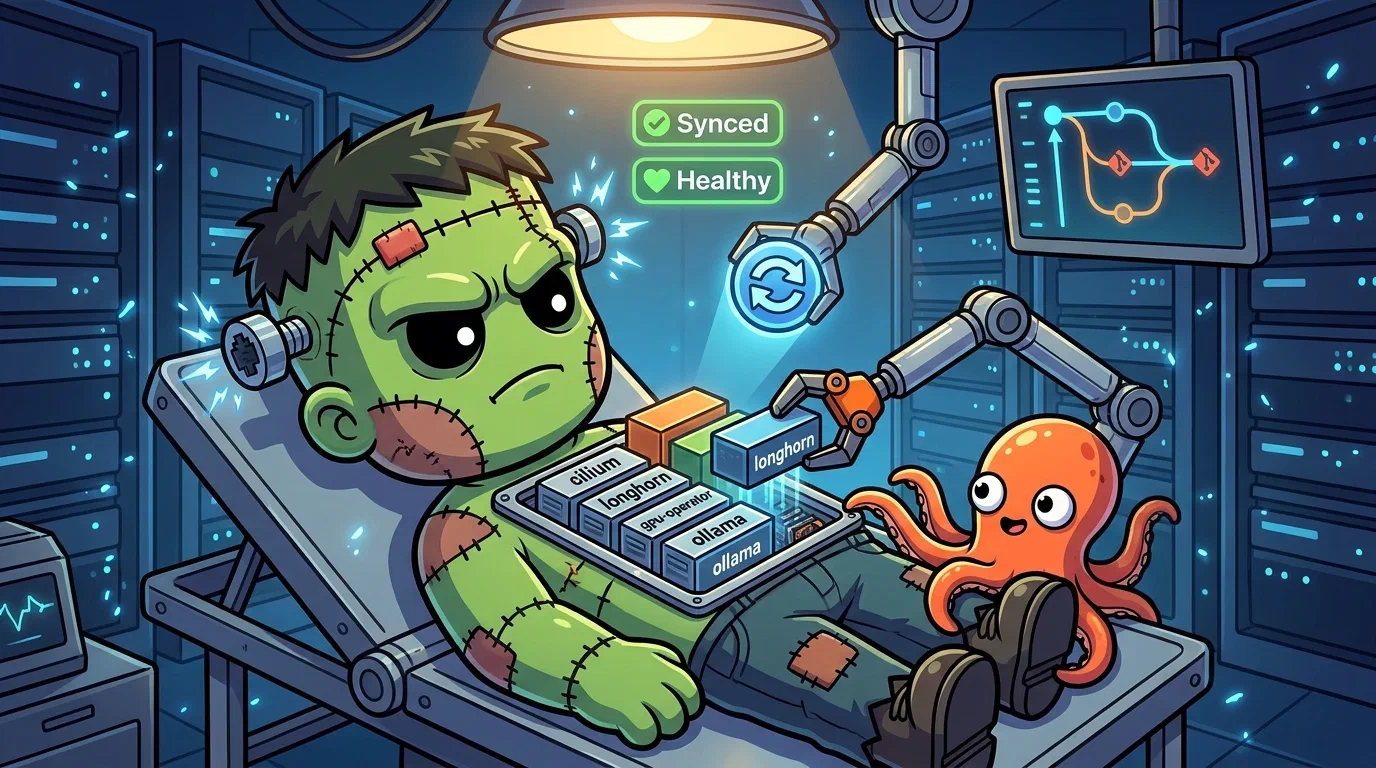
Operating on GitOps
Last updated 2026-07-15 ·a8bed9a
This post covers day-to-day ArgoCD operations on Frank. For how the App-of-Apps was set up and why, see GitOps Everything with ArgoCD. For the deep-dive drift classification taxonomy, see Operating on ArgoCD Drift Detective.
Source your environment before running commands:
source .env # sets KUBECONFIGAll argocd CLI commands use port-forwarding since there is no public ingress. Every command includes --port-forward --port-forward-namespace argocd. To save typing:
alias argocd='argocd --port-forward --port-forward-namespace argocd'Overview
ArgoCD runs at http://192.168.55.200 on a Cilium L2 LoadBalancer. Note: the UI is plain HTTP — https://192.168.55.200 gives a Transport Layer SecurityThe encryption under HTTPS and most other secure protocols. What a certificate is for, and what fails visibly when the certificate does not match the hostname. reset (docs/runbooks/frank-gotchas/argocd.md:64-68).
A single root Application in apps/root/ renders 76 child Application Custom ResourceAn object of a type Kubernetes did not ship with, added by a CRD. Frank's ArgoCD Applications, Rollouts and Tekton Pipelines are all CRs. — one per component. Key configuration:
application.resourceTrackingMethod: annotation(apps/argocd/values.yaml:109) — avoids Helm label conflicts for adoptionServerSideApply=trueon every app — avoids the 256KB annotation limit and enables resource adoptionselfHeal: trueon every app — automatically corrects drift from the desired Git stateprune: false(default) — resources removed from Git are not deleted. Intentional — accidental deletion of a Container Network InterfaceThe plugin contract Kubernetes uses to give pods networking. Cilium is Frank's CNI; swapping it changes how every packet in the cluster is handled. or storage controller would be catastrophic.
    graph LR
  ROOT["root App<br/>apps/root/"] --> T["traefik App"]
  ROOT --> G["gitea App"]
  ROOT --> M["monitoring App"]
  ROOT --> C["cilium App"]
  ROOT --> L["longhorn App"]
  ROOT --> I["infisical App"]
  ROOT --> O["ollama App"]
  ROOT --> D["... 76 apps"]
  T --> TN["traefik NS<br/>→ pods"]
  G --> GN["gitea NS<br/>→ pods"]
  M --> MN["monitoring NS<br/>→ pods"]
  C --> CN["kube-system<br/>→ Cilium pods"]
  L --> LN["longhorn-system<br/>→ pods"]
  I --> IN["infisical NS<br/>→ pods"]
  O --> ON["ollama NS<br/>→ pods"]
  LB["Cilium L2 LB<br/>192.168.55.200"] -.-> T
  LB -.-> G
  LB -.-> M
Verify
# Check overall application health
kubectl get applications -n argocd -o 'custom-columns=NAME:.metadata.name,SYNC:.status.sync.status,HEALTH:.status.health.status'
All applications should show SYNC: Synced and HEALTH: Healthy. A Degraded or OutOfSync app needs investigation.
# Quick check — any apps with comparison errors?
kubectl -n argocd get applications -o json | jq '.items[] | select(.status.conditions[]? | .type=="ComparisonError") | .metadata.name'
If this returns any names, the repo has a comparison error (often an out-of-bounds symlink) — see Runbook below.
Observing State
List All Applications
argocd app list --port-forward --port-forward-namespace argocdThis shows every application, its sync status (Synced, OutOfSync), health status (Healthy, Degraded, Progressing), and the target revision.
$ kubectl get application -n argocd -o wide 2>&1 | head -35
NAME                   SYNC STATUS   HEALTH STATUS   REVISION                                   PROJECT
argo-rollouts          Synced        Healthy                                                    infrastructure
argo-rollouts-extras   Synced        Healthy         fe5f5900e397c6bda7158e9add7a7853007535d7   infrastructure
argocd                 Synced        Healthy                                                    infrastructure
# ... (76 total applications)
Inspect a Single Application
argocd app get cilium --port-forward --port-forward-namespace argocdReturns the full resource tree — every Deployment, DaemonSet, Service, ConfigMap, and Secret that ArgoCD tracks for that application. Resources with sync issues are flagged individually.
Watch Sync Events
argocd app get cilium --port-forward --port-forward-namespace argocd --show-operationThe --show-operation flag shows the last sync operation result — which resources were created, updated, or pruned and how long the operation took.
Routine Operations
Force Sync an Application
argocd app sync cilium --port-forward --port-forward-namespace argocdTo sync all applications at once, sync the root app:
argocd app sync root --port-forward --port-forward-namespace argocdThis re-renders the root Helm chart, which may discover new child Applications or updated chart versions.
Hard Refresh
ArgoCD caches the Git repo and Helm chart index. If it still shows old state after a push:
argocd app get cilium --port-forward --port-forward-namespace argocd --hard-refreshCheck Diff Before Syncing
argocd app diff cilium --port-forward --port-forward-namespace argocdThis is the GitOps equivalent of terraform plan. Review the diff, then sync if it looks right.
Add a New Application
- Create
apps/<app-name>/values.yamlwith Helm values. - Create
apps/root/templates/<app-name>.yamlwith the Application CR. - Optionally add
apps/<app-name>/manifests/for raw Kubernetes manifests. - Commit, push.
ArgoCD discovers the new Application CR from the root chart and begins syncing it automatically.
Manage ArgoCD Itself
After editing apps/argocd/values.yaml:
argocd app sync argocd --port-forward --port-forward-namespace argocdSince ArgoCD is updating itself, the CLI connection will drop momentarily and reconnect.
Runbook
Application Degraded
An app showing Degraded usually means one or more of its resources failed to reach a healthy state:
argocd app get <app> --port-forward --port-forward-namespace argocdLook for resources marked Degraded or Missing. Then check Kubernetes events:
kubectl describe deployment <name> -n <namespace>
kubectl get events -n <namespace> --sort-by=.lastTimestamp | tail -20
Common causes: image pull failures, resource limits too low, missing secrets, or nodes lacking the right taints/tolerations.
Recovery: stale appTree health
After a source change, the appTree may show Degraded even though all resources are healthy. This cosmetic state masks real health changes until the controller re-evaluates. Wait for the next sync cycle or restart the controller (docs/runbooks/frank-gotchas/argocd.md:70-91).
Sync Failed
When a sync operation fails:
argocd app get <app> --port-forward --port-forward-namespace argocd --show-operationThe operation result shows exactly which resource failed and why. Two frequent culprits:
- Annotation size limit. Kubernetes has a 256KB limit on annotation values. Large CustomResourceDefinitionThe object that teaches the Kubernetes API a new resource type. Install a CRD and the API server starts serving a kind it has never heard of, with validation and RBAC like any built-in. (Cilium’s etc.) can exceed this.
ServerSideApply=truein syncOptions avoids this — every Frank app uses it. - Finalizer deadlocks. A resource with a finalizer referencing a deleted controller hangs forever. Check
metadata.finalizersand remove the offending entry.
Recovery: manual sync drops syncOptions
When a manual sync (via argocd app sync or kubectl patch) doesn’t pass ServerSideApply=true, large ConfigMaps (>250KB) hit the annotation limit. Always include syncOptions:
kubectl patch application <app> -n argocd --type=merge \
  -p '{"operation":{"sync":{"revision":"HEAD","syncOptions":["ServerSideApply=true","RespectIgnoreDifferences=true"]}}}'
This is the canonical pattern when selfHeal is disabled for debugging (docs/runbooks/frank-gotchas/argocd.md:28-37).
OutOfSync but Correct
Some resources appear OutOfSync even though the live state is correct. Controllers mutate resources after ArgoCD applies them. Kubernetes Secrets are the classic example — controllers encode or rotate secret data.
Fix: add ignoreDifferences in the Application spec:
ignoreDifferences:
  - group: ""
    kind: Secret
    jsonPointers:
      - /data
Frank already applies this to applications managing auto-generated secrets (Cilium, cert-manager). For new cases, add the entry to apps/root/templates/<app>.yaml.
Recovery: root re-templates leaf specs
The root application re-templates every leaf Application CR on every sync. A live kubectl patch application (e.g. for a feature branch) reverts within the sync window because the root chart overwrites the patched field. When testing a PR-branch change on a leaf:
- Suspend root selfHeal:
argocd app set root --self-heal=false - Patch the leaf with the branch revision.
- After testing, restore root selfHeal to
true.
Without suspending root selfHeal, the leaf reverts before you can observe the result (agents/rules/frank-argocd.md:40-63).
Orphaned Resources
With prune: false (default on Frank), ArgoCD never deletes resources that disappear from Git:
argocd app resources <app> --port-forward --port-forward-namespace argocd --orphanedReview the list and delete manually if sure:
kubectl delete <kind> <name> -n <namespace>Recovery: out-of-bounds symlink
An out-of-bounds symlink in the repo causes every app to show a ComparisonError. Nothing syncs, but the cluster runs on the last-known-good cache.
# Find the symlink
find . -type l -lname '*../../..*'

# Fix it, commit, and re-sync the root app
After fixing, all apps should return to Synced (docs/runbooks/frank-gotchas/argocd.md:14-26).
Notifications Silent
ArgoCD notifications use Telegram for sync events. If notifications drop silently, the notifications.yaml config may use the wrong subscription format. The correct pattern uses the service name directly, not webhook:
# Correct
subscribe:
  on-sync-running.telegram: ""

# Wrong — drops silently
subscribe:
  on-sync-running.webhook:
    telegram: ""
The webhook notifier type is named after the service (telegram), not the type name (webhook). (docs/runbooks/frank-gotchas/argocd.md:5-12)
Missteps
| What we assumed | Why it was wrong | What it cost |
|---|---|---|
kubectl patch application with a feature-branch revision survives the sync window | Root re-templates every leaf on every sync. Without suspending root selfHeal, the patch reverts within seconds | Feature-branch testing requires a self-heal suspend cycle (agents/rules/frank-argocd.md:40-63). |
argocd app sync passes ServerSideApply=true automatically | Manual syncs via the CLI or kubectl patch drop the syncOptions from the Application spec | Large ConfigMaps (>250KB) hit the annotation limit. Must pass syncOptions explicitly in the operation patch. |
| HTTP is fine for the ArgoCD UI | The UI is served over plain HTTP, not HTTPS. Browser auto-upgrades to HTTPS, which gives a TLS reset | New operators waste time debugging the TLS error (docs/runbooks/frank-gotchas/argocd.md:64-68). |
| Telegram notification webhooks follow the standard format | The ArgoCD notification config uses the service name (telegram), not the type name (webhook), in the subscription block | Notifications silently dropped until the config was corrected. |
| An out-of-bounds symlink only breaks one app | ArgoCD’s comparison phase follows symlinks — a single bad symlink breaks every app on the cluster | All apps show ComparisonError, nothing syncs, cluster runs on last-known-good cache (docs/runbooks/frank-gotchas/argocd.md:14-26). |
| Controller-normalized fields can be ignored | Fields like syncRequestedAt, restartedAt, enabled, authRefs are rewritten by controllers on every reconciliation | Permanent OutOfSync on Longhorn, Sympozium, vCluster, and Tekton until ignoreDifferences entries were added (docs/superpowers/debugging/2026-07-06-cluster-status-drift.md). |
Quick Reference
| Task | Command |
|---|---|
| List all apps | kubectl get applications -n argocd -o wide |
| List all apps (columnar status) | kubectl get applications -n argocd -o 'custom-columns=NAME:.metadata.name,SYNC:.status.sync.status,HEALTH:.status.health.status' |
| Find comparison errors | kubectl -n argocd get applications -o json | jq '.items[] | select(.status.conditions[]? | .type=="ComparisonError") | .metadata.name' |
| List apps (argocd CLI) | argocd app list --port-forward --port-forward-namespace argocd |
| Get app detail | argocd app get <app> --port-forward --port-forward-namespace argocd |
| Sync one app | argocd app sync <app> --port-forward --port-forward-namespace argocd |
| Sync root (everything) | argocd app sync root --port-forward --port-forward-namespace argocd |
| Check diff | argocd app diff <app> --port-forward --port-forward-namespace argocd |
| Hard refresh | argocd app get <app> --port-forward --port-forward-namespace argocd --hard-refresh |
| Show last sync | argocd app get <app> --port-forward --port-forward-namespace argocd --show-operation |
| Manual sync with syncOptions | kubectl patch application <app> -n argocd --type=merge -p '{"operation":{"sync":{"revision":"HEAD","syncOptions":["ServerSideApply=true","RespectIgnoreDifferences=true"]}}}' |
| List orphans | argocd app resources <app> --port-forward --port-forward-namespace argocd --orphaned |
| Delete an app | argocd app delete <app> --port-forward --port-forward-namespace argocd |
| Find out-of-bounds symlinks | find . -type l -lname '*../../..*' |
| Find non-running pods | kubectl get pods -A --field-selector=status.phase!=Running,status.phase!=Succeeded |
| ArgoCD UI | http://192.168.55.200 |
Explanation
This post consolidates the day-to-day ArgoCD operations that are spread across four separate sources: the basic CLI commands, the gotcha runbook, the agent rules for app management, and the drift-debugging post. The failure patterns in the Runbook section are the ones that have actually broken Frank’s GitOps pipeline — the symlink blast that took down every app, the stale appTree that masked a real health change, and the self-heal constraint that made feature-branch testing unreliable.
The companion posts cover the building (how the App-of-Apps is structured) and the drift taxonomy (the 7-class classification for OutOfSync). This post covers what you type when an app is Degraded, a sync fails, or notifications go quiet.
References
- ArgoCD Documentation — Official reference for all CLI commands and concepts
- ArgoCD Sync Options — ServerSideApply, selfHeal, prune, and ignoreDifferences
- GitOps Everything with ArgoCD — How the App-of-Apps was built on Frank
- ArgoCD Drift Detective — Deep-dive drift classification taxonomy
- Frank Gotchas — ArgoCD — Frank-specific ArgoCD failure playbooks
- Frank ArgoCD Workflow — Add-a-new-app workflow and self-heal suspend pattern
- Cluster Status Drift Incident — Controller-normalized fields and the
ignoreDifferencesfixes