
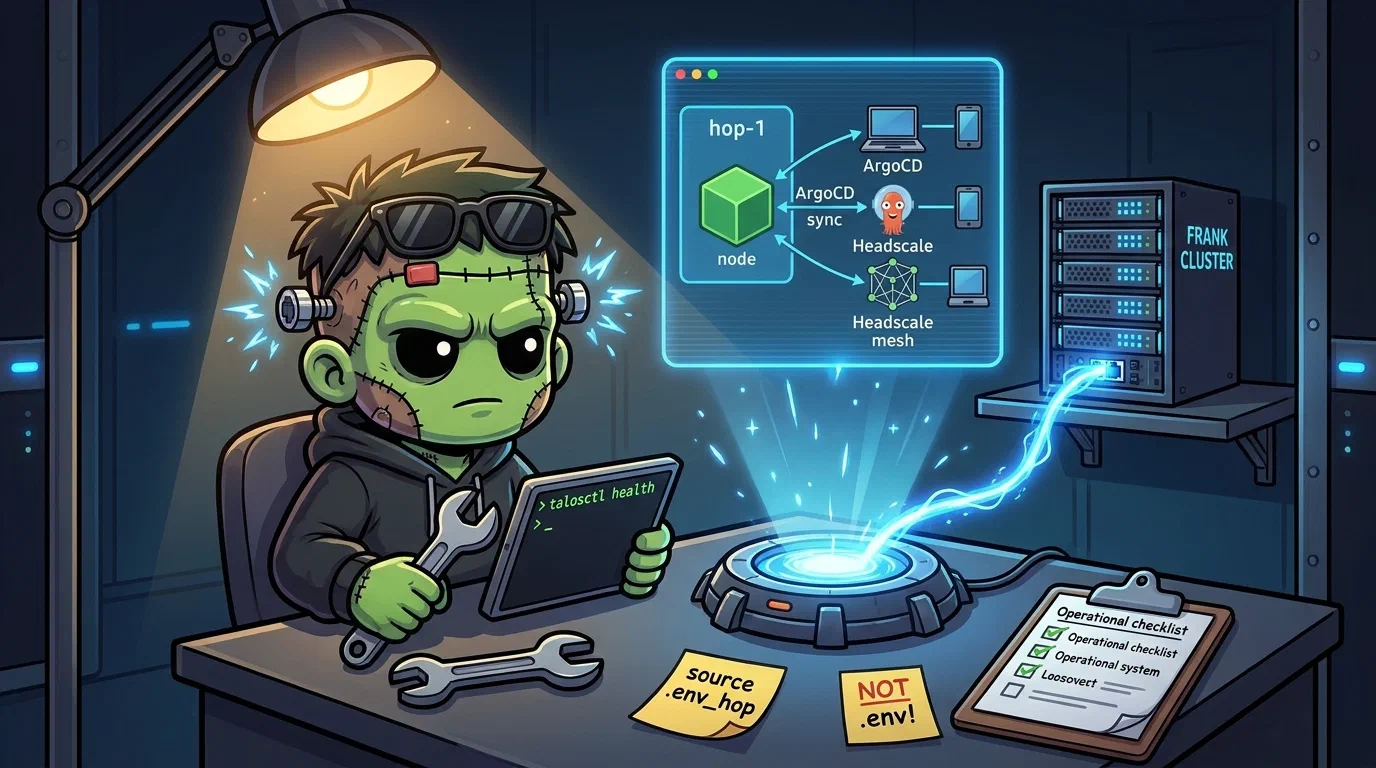
Operating on Hop — Single-Node Talos Edge Cluster
Last updated 2026-07-30
This is the operational companion to Hopping Through the Portal. That post covers the ten deviations from standard Talos. This one covers what you type to keep Hop running.
Hop is a single-node Talos cluster on a CX23 Hetzner VM. Everything about it differs from Frank.
| Concern | Frank | Hop |
|---|---|---|
| Talos management | Omni (UI + API) | talosctl directly |
| Container Network InterfaceThe plugin contract Kubernetes uses to give pods networking. Cilium is Frank's CNI; swapping it changes how every packet in the cluster is handled. | Cilium (eBPF, L2 Load BalancerWhatever spreads traffic across backends and gives them one address. On Frank that is Cilium answering for an address on the LAN, not a cloud appliance.) | Flannel (default) |
| Storage | Longhorn (distributed) | Static PersistentVolumeThe actual piece of storage a PVC binds to. The claim is the request; the PV is what satisfies it. on Hetzner Volume |
| Nodes | 7 (High AvailabilityRunning enough redundant instances that losing one does not take the service down. Frank's three control-plane nodes are its HA tier. control plane) | 1 (control-plane + worker) |
| Ingress | Traefik | Caddy hostPort (80/443) |
| Ingress auth | Authentik Single Sign-OnOne login across many applications. On Frank, Authentik holds the session and Traefik asks it before forwarding a request. | CrowdSec bouncer + tailscale Access Control ListAn ordered list of allow/deny rules attached to a resource. In Headscale it decides which mesh node may reach which service, independent of network routing. |
| Remote access | LAN only | Tailscale mesh + public endpoints |
Hop has no redundancy. A node reboot means all services are down. A botched Talos upgrade means rebuilding from Packer snapshot. Treat Hop as a pet.
    graph TB
    subgraph internet["Internet"]
        user["User"]
        attacker["Scanner / Attacker"]
    end

    subgraph hetzner["Hetzner Cloud"]
        direction TB
        hop["hop-1<br/>CX23 VM<br/>Talos Linux"]

        subgraph k8s["Kubernetes"]
            direction TB
            caddy["Caddy<br/>hostPort 80/443"]
            cs["CrowdSec<br/>LAPI + Bouncer"]
            hs["Headscale<br/>Control Server"]
            hp["Headplane<br/>Admin UI"]
            blog["Blog<br/>Hugo static"]
        end

        vol["Hetzner Volume<br/>10GB<br/>headscale db + caddy certs"]
        caddy -.->|logs →| cs
        cs -->|ban decision| caddy
        hs --- vol
    end

    subgraph mesh["Tailscale Mesh"]
        direction TB
        laptop["Laptop"]
        raspi["Raspi<br/>Subnet Router"]
        phone["Phone"]
    end

    user -->|https://blog.derio.net| caddy
    attacker -->|scan| caddy
    cs -->|block| attacker
    hs --- laptop
    hs --- raspi
    hs --- phone
Before any commands, source the Hop environment:
source .env_hop

# Verify you're targeting the right cluster
kubectl get nodes
# Expected: hop-1   Ready   control-plane   ...
Never run source .env in a Hop terminal — it overwrites KUBECONFIG with Frank’s config. If unsure: kubectl config current-context should show admin@hop.
What Healthy Looks Like
talosctl healthpasses on the public IP.- All system pods are
RunningorCompleted— noPendingorCrashLoopBackOff. - Caddy responds on both public and mesh entrypoints.
- Headscale shows all registered nodes as
online. - CrowdSec ban pipeline is active (no “0 bans” forever).
- The Hetzner Volume is
attached to hop-1.
Verify
# Cluster
talosctl -n $HOP_IP health
kubectl get nodes -o wide
kubectl get pods -A | grep -v Running | grep -v Completed

# Caddy
curl -sI https://blog.derio.net/frank/ | head -3
kubectl -n caddy-system logs deploy/caddy --tail=5 | grep "tls\|cert"

# Headscale
kubectl -n headscale-system exec deploy/headscale -- headscale nodes list
kubectl -n headscale-system exec deploy/headscale -- headscale routes list

# CrowdSec
kubectl -n crowdsec-system exec deploy/crowdsec-lapi -- cscli metrics | head -15

# Storage
hcloud volume list
kubectl get pv | grep -v Bound
Steps
Add a Node to the Mesh
# 1. Create a pre-auth key (on workstation with .env_hop sourced)
kubectl -n headscale-system exec deploy/headscale -- \
  headscale preauthkeys create --user default --reusable --expiration 24h

# 2. On the new device:
sudo tailscale up \
  --login-server https://headscale.hop.derio.net \
  --accept-routes \
  --authkey <KEY>

# 3. Verify
kubectl -n headscale-system exec deploy/headscale -- headscale nodes list | grep online
Reload Caddy Config
kubectl -n caddy-system rollout restart deploy/caddyCaddy uses Recreate strategy (binds host port 80/443 — rolling update would deadlock). Expect ~5s downtime.
Upgrade Talos
Service-impacting — all pods stop during reboot.
# Check current version
talosctl -n $HOP_IP version

# Stage
talosctl -n $HOP_IP upgrade --image ghcr.io/siderolabs/installer:<VERSION> --stage

# Reboot
talosctl -n $HOP_IP reboot

# Wait for recovery
talosctl -n $HOP_IP health
kubectl get pods -A
Expected downtime: 3–5 minutes.
Backup Headscale DB
kubectl -n headscale-system exec deploy/headscale -- \
  sqlite3 /var/lib/headscale/db.sqlite \
  ".backup /var/lib/headscale/backups/manual-$(date +%F).db"
An automated CronJob runs daily at 3 AM UTC. Retention is 7 days on the Hetzner Volume.
Recover
Caddy TLS Expired
# Check token is valid (shows last 4 chars)
kubectl -n caddy-system get secret caddy-cloudflare -o jsonpath='{.data.api-token}' | base64 -d | tail -c 4

# Recreate if empty, then restart pod
kubectl -n caddy-system delete secret caddy-cloudflare
kubectl -n caddy-system create secret generic caddy-cloudflare \
  --from-literal=api-token=<TOKEN>
kubectl -n caddy-system rollout restart deploy/caddy
Gotcha: Env vars from secretKeyRef are injected at pod creation. A pod keeps running with a valid token long after the secret is deleted. You find out on the next restart.
CrowdSec Stops Banning
# Check LAPI health
kubectl -n crowdsec-system logs deploy/crowdsec-lapi --tail=20

# Check bouncer is connected
kubectl -n crowdsec-system exec deploy/crowdsec-lapi -- cscli bouncers list

# Check metric collection
kubectl -n crowdsec-system exec deploy/crowdsec-lapi -- cscli metrics
The ban pipeline can fail silently. A CrowdSec canary exists that pages when no new bans appear over a threshold — but the canary itself depends on the pipeline being wired correctly. Known failure modes:
- Caddy logs not ingested — CrowdSec needs
container_runtime=containerdin its Caddy parser config to parse Caddy’s JSON logs correctly (#584). - Local APICrowdSec's local decision service. Agents report parsed events to it and bouncers ask it who to block — which means if its database is ephemeral, the whole ban pipeline silently does nothing. data not persisted — If the LAPI pod restarts without a PersistentVolumeClaimA Kubernetes request for durable storage. The pod names a claim and the storage layer — Longhorn on Frank — binds real disk behind it, so the data outlives the pod., it forgets all decisions. The fix was adding a PVC for
/var/lib/crowdsec/data(#583). - Bouncer can’t reach LAPI — The Caddy CrowdSec bouncer was initially pointed at the wrong service name. Fixed in #574.
- Log rotation kills ingestion — Caddy’s log rotation closes the file descriptor. CrowdSec needs
poll_without_inotify: trueto detect the new log file (#594).
Mesh Client Can’t Route
# From the client
tailscale status
tailscale ip -4          # Should show 100.64.0.x
dig litellm.frank.derio.net  # Should resolve via split DNS
Common fixes:
--accept-routesmissing: runsudo tailscale set --accept-routesnet.ipv4.ip_forward=1missing for exit node: add it and restart tailscale- Split DNS not working: check Headscale ConfigMap
dns.nameservers.splitsection
Headscale Pod Won’t Start
kubectl -n headscale-system logs deploy/headscale --tail=30Known causes:
- SQLite DB corruption from unclean shutdown — restore from backup.
- Falco alert killing the backup CronJob pod (bake sqlite binary into the image to avoid the exec probe) — fixed in #385.
Complete Cluster Rebuild
# 1. Create new server from Talos snapshot
hcloud server create --name hop-1 --type cx23 --location fsn1 \
  --image <SNAPSHOT_ID> --volume hop-data

# 2. Apply Talos config
talosctl apply-config --insecure -n <NEW_IP> --file controlplane.yaml
talosctl bootstrap -n <NEW_IP>

# 3. Wait, bootstrap ArgoCD, re-create secrets
talosctl -n <NEW_IP> health
helm install argocd argo/argo-cd -n argocd --create-namespace \
  -f clusters/hop/apps/argocd/values.yaml
kubectl apply -f <(helm template root clusters/hop/apps/root/)

# 4. Manually re-create cloudflare and tailscale secrets
The Hetzner Volume survives server deletion. Reattach to the new server and Headscale clients reconnect automatically.
Headscale API-Key Expiry
Headscale API keys fail silently at expiry: Headplane remains Running, ArgoCD remains green, and login stops working. The headscale-api-key-expiry CronJob checks both consumer keys hourly and warns 30 days before the earliest expiry.
# Inspect the schedule and recent results.
kubectl -n headscale-system get cronjob headscale-api-key-expiry
kubectl -n headscale-system get jobs -l app.kubernetes.io/name=headscale-api-key-expiry

# Run it immediately after rotating either API key.
kubectl -n headscale-system delete job headscale-api-key-expiry-manual --ignore-not-found
kubectl -n headscale-system create job \
  --from=cronjob/headscale-api-key-expiry headscale-api-key-expiry-manual
kubectl -n headscale-system logs -f job/headscale-api-key-expiry-manual
A healthy line contains verdict=ok alert=false checked=2. verdict=warn means the earliest expected key has 30 days or less remaining. verdict=error means an expected prefix disappeared or the API could not be authenticated/read. The Frank Grafana rules headscale-api-key-expiry-warning and headscale-api-key-expiry-heartbeat-stale page Telegram directly.
When rotating, update EXPECTED_PREFIXES in clusters/hop/apps/headscale/manifests/key-expiry-cronjob.yaml with both new seven-character prefixes before deleting the old keys. The monitor intentionally tracks Headplane’s key and the operator API key separately.
Missteps
| What we assumed | Why it was wrong | What it cost |
|---|---|---|
| CrowdSec would parse Caddy logs out of the box | The default Caddy log parser expects a different container runtime. Without container_runtime=containerd in the parser config, CrowdSec silently ingested zero events. | One debug session to find the missing config field. |
| CrowdSec LAPI state survives pod restarts | The LAPI pod had no PVC. A restart wiped all decisions, and the bouncer had to re-learn. | Added a PVC and re-tested the ban pipeline. |
| Caddy log rotation is transparent to CrowdSec | Log rotation closes the file descriptor. Without poll_without_inotify, CrowdSec never sees the new log file and stops ingesting events. | Added the config flag and bounced both pods. |
hcloud volume data persists automatically on server rebuild | It does — but you must specify --volume hop-data on hcloud server create. Forgetting it starts a fresh server without the volume attached. | The checklist now includes this flag. |
A pod with secretKeyRef picks up secret changes on rotation | Env vars are injected at pod creation. Rotating the secret has no effect until the next restart. | Discovered during a Cloudflare token rotation — Caddy kept serving with the old token until the next deploy. |
Quick Reference
| Command | What It Does |
|---|---|
talosctl -n $HOP_IP health | Full cluster health check |
talosctl -n $HOP_IP upgrade --image=... --stage | Stage Talos upgrade |
headscale nodes list (via kubectl exec) | List mesh devices |
headscale preauthkeys create (via kubectl exec) | Generate registration key |
kubectl -n headscale-system create job --from=cronjob/headscale-api-key-expiry headscale-api-key-expiry-manual | Run the API-key expiry check now |
kubectl -n caddy-system rollout restart deploy/caddy | Reload Caddy config |
kubectl -n crowdsec-system exec deploy/crowdsec-lapi -- cscli metrics | CrowdSec metrics |
hcloud volume list | Check Hetzner Volume status |
kubectl -n headscale-system exec deploy/headscale -- ls /var/lib/headscale/backups/ | List DB backups |
Operating www.derio.net
The second public site on the edge. Source lives in a private repo; only the deployment manifest and the vhost live here.
Is it serving the real page or the fallback?
The vhost falls back to a holding page when its backend is unreachable, so a 200 alone does not mean the site is healthy. Check for content:
curl -sI https://www.derio.net | head -1          # 200 either way
curl -s  https://www.derio.net | grep -q counter.derio.net \
  && echo "serving the built page" || echo "serving the fallback"
If it is on the fallback, the backend is the place to look:
source .env_hop
kubectl -n www-system get pods
kubectl -n www-system describe pod -l app.kubernetes.io/name=www | tail -20
An ImagePullBackOff on a 40-zero tag means no promotion has ever run — the
placeholder is still in place.
A change was merged but the site is unchanged
The chain has four hops, and each one fails quietly:
# 1. Did the mirror receive it?
kubectl -n tekton-pipelines logs -l eventlistener=github-listener --tail=20

# 2. Did Gitea Actions build it? (Gitea UI -> agentic-stoa/site -> Actions)
#    No Actions tab at all means the repo's Actions unit was never enabled.

# 3. Did promotion run?
kubectl -n tekton-pipelines get pipelinerun \
  -l tekton.dev/pipeline=site-promotion --sort-by=.metadata.creationTimestamp | tail -5

# 4. Did ArgoCD roll it?
kubectl -n argocd get application www -o wide      # on Hop
A promotion run that fails on git push almost always means the derio-net
installation token is not materialising — see frank-gitops-push in the
storage/secrets runbook. That same credential backs CNC promotion, so if it is
broken here it is broken there too.
Response headers
Both public sites import a shared Caddy snippet. To verify after a Caddy change:
curl -sI https://www.derio.net  | grep -iE "strict-transport|content-security|x-content-type"
curl -sI https://blog.derio.net | grep -iE "strict-transport|content-security|x-content-type"
The Content Security PolicyA response header telling the browser which sources of script, style and images to trust. Frank's blog serves `script-src 'self'`, which is why inline scripts had to be replaced rather than tolerated. permits exactly one external origin (analytics). If a page starts loading anything else — a font, a script, an embed — the browser blocks it silently while the page still returns 200. Check the browser console, not the server, when analytics or an embed “just stops working”.