
Operating on Paperclip
This is the operational companion to Paperclip — AI Agent Orchestrator. That post explains the architecture and deployment. This one covers health checks, database access, secret management, and common failure modes.
What “Healthy” Looks Like
Paperclip is healthy when:
- The paperclip pod is
1/1 Runningongpu-1in thepaperclip-systemnamespace - The web UI responds at
http://192.168.55.212:3100 - PostgreSQL is
1/1 Runningwith the metrics sidecar (PostgreSQL is unconstrained — runs wherever the scheduler puts it) - All four ExternalSecrets show
SecretSynced - The PVC is
Bound
Paperclip is pinned to gpu-1 (nodeSelector: kubernetes.io/hostname: gpu-1) with a defensive nvidia.com/gpu:NoSchedule toleration. It does not request a GPU — gpu-1 is the cluster’s biggest CPU/RAM box (128GB, ~20% requested) and absorbs the 12Gi memory limit without crowding the core-zone control-plane minis. See the building post’s Memory Tuning and the Move to gpu-1 section for the history.
Quick health check:
# All-in-one status
kubectl get pods,pvc,externalsecret -n paperclip-system -o wideExpected output: one paperclip pod (on gpu-1), one paperclip-db pod, one 2Gi PVC bound, four ExternalSecrets synced.
$ kubectl get pods,pvc,externalsecret -n paperclip-system
NAME READY STATUS RESTARTS AGE
pod/paperclip-78cfb8db86-z7z4n 1/1 Running 0 12d
pod/paperclip-db-postgresql-0 2/2 Running 0 28d
NAME STATUS VOLUME CAPACITY ACCESS MODES STORAGECLASS VOLUMEATTRIBUTESCLASS AGE
persistentvolumeclaim/data-paperclip-db-postgresql-0 Bound pvc-1929c98e-6a59-4eec-8c41-353833f43dec 5Gi RWO longhorn <unset> 37d
persistentvolumeclaim/paperclip-data Bound pvc-1ded449d-e2bc-4e38-b7c9-c5d5ee264294 10Gi RWO longhorn <unset> 37d
NAME STORETYPE STORE REFRESH INTERVAL STATUS READY
externalsecret.external-secrets.io/paperclip-auth ClusterSecretStore infisical 5m SecretSynced True
externalsecret.external-secrets.io/paperclip-brave ClusterSecretStore infisical 5m SecretSynced True
externalsecret.external-secrets.io/paperclip-llm-key ClusterSecretStore infisical 5m SecretSynced True
externalsecret.external-secrets.io/paperclip-resend ClusterSecretStore infisical 5m SecretSynced True
Observing State
Pod Health
# Check pod status and restarts
kubectl get pods -n paperclip-system -o wide
# Verify the web UI is responding
curl -s -o /dev/null -w "%{http_code}" http://192.168.55.212:3100/
# Expected: 200 (or 403 in private mode — either means the app is up)
# Check startup logs (migrations, Agent JWT, backup schedule)
kubectl logs -n paperclip-system -l app.kubernetes.io/name=paperclip | head -30
# Tail logs in real-time
kubectl logs -n paperclip-system -l app.kubernetes.io/name=paperclip -f --tail=50Database Health
# Check PostgreSQL pod
kubectl get pods -n paperclip-system -l app.kubernetes.io/instance=paperclip-db
# Connect to the database
kubectl exec -it -n paperclip-system \
$(kubectl get pod -n paperclip-system -l app.kubernetes.io/instance=paperclip-db -o name) \
-- psql -U paperclip -d paperclip
# Quick table count (inside psql)
SELECT schemaname, count(*) FROM pg_tables GROUP BY schemaname;ExternalSecret Sync
# Check all secrets are synced from Infisical
kubectl get externalsecret -n paperclip-system
# Detailed sync status for a specific secret
kubectl describe externalsecret paperclip-llm-key -n paperclip-systemFour ExternalSecrets exist:
paperclip-llm-key— OPENAI_API_KEY and OPENAI_BASE_URL (points to LiteLLM)paperclip-auth— BETTER_AUTH_SECRET for session signingpaperclip-brave— BRAVE_API_KEY for agent web-search tools (optional, markedoptional: true); sourced from Infisical keyBRAVE_SEARCH_KEY_PAPERCLIPand remapped to the standardBRAVE_API_KEYenv varpaperclip-resend— RESEND_API_KEY for agent transactional email (optional, markedoptional: true); sourced from Infisical keyEMAIL_RESEND_API_KEYand remapped to the standardRESEND_API_KEYenv var the Resend SDK and MCP server expect
Earlier deployments included paperclip-anthropic (ANTHROPIC_API_KEY for the claude_local adapter) and paperclip-ghcr (.dockerconfigjson for pulling our custom image from GHCR). Both were retired when Paperclip switched to the upstream public image and stopped using the claude_local adapter — see the building-side post for the full history.
Common Operations
Restarting Paperclip
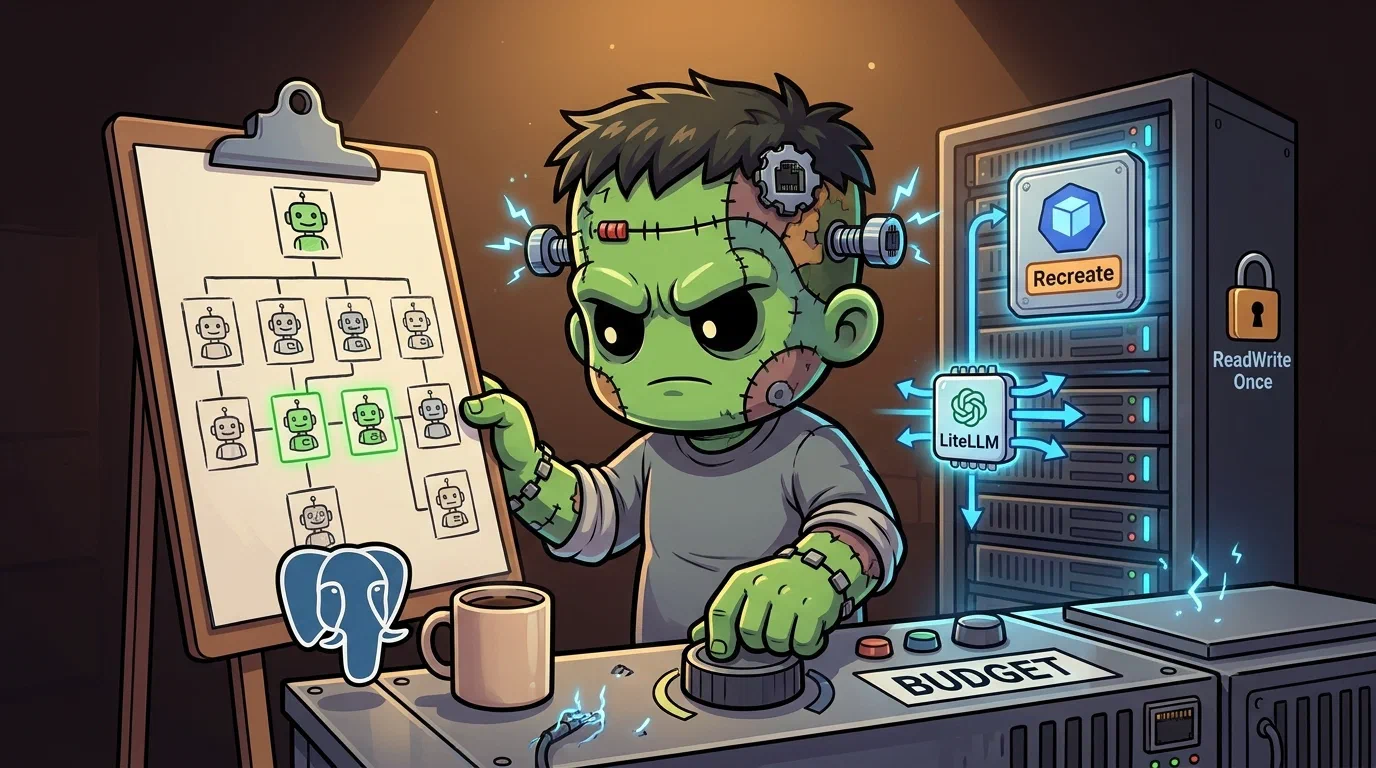
The Deployment uses strategy: Recreate because the PVC is ReadWriteOnce. A rolling update would deadlock — the new pod can’t mount the volume while the old pod holds it. Recreate kills the old pod first, then starts the new one.
# Restart (zero-downtime is not possible with RWO PVC)
kubectl rollout restart deployment/paperclip -n paperclip-system
# Watch the restart
kubectl get pods -n paperclip-system -wExpect a brief gap (10-30s) where Paperclip is unavailable while the old pod terminates and the new one starts.
Updating the Image
Paperclip runs the upstream public image. Upstream only publishes latest (master HEAD) and sha-<short> tags — no semver image tags — so we pin a specific sha-<short> build that maps to a known git tag. To deploy a new version:
# Update the image tag (preferred: edit the manifest and let ArgoCD sync)
# apps/paperclip/manifests/deployment.yaml → image: ghcr.io/paperclipai/paperclip:sha-<short>
# Imperative alternative (will drift from Git until the manifest catches up):
kubectl set image deployment/paperclip \
paperclip=ghcr.io/paperclipai/paperclip:sha-<short> \
-n paperclip-systemDatabase Backup and Restore
PostgreSQL data lives on a Longhorn PVC backed up by the cluster-wide recurring backup job.
# Check Longhorn backup status for the paperclip-db volume
kubectl get volume -n longhorn-system | grep paperclip
# Manual backup via Longhorn UI
# Navigate to http://192.168.55.201 → Volumes → paperclip-db → Create BackupTroubleshooting
Pod Stuck in CrashLoopBackOff
Check the logs first:
kubectl logs -n paperclip-system -l app.kubernetes.io/name=paperclip --previous
kubectl describe pod -n paperclip-system -l app.kubernetes.io/name=paperclipCommon causes:
- Database not ready — paperclip-db pod must be Running before paperclip starts. Check
kubectl get pods -n paperclip-system. - Missing secret — if a non-optional ExternalSecret fails to sync, the pod hits
CreateContainerConfigError. Checkkubectl get externalsecret -n paperclip-system. - Port conflict — another process on the node binding port 3100 (unlikely with Cilium LB, but check events).
Multi-Attach Error on PVC
If you see Multi-Attach error for volume in events, the old pod didn’t release the volume before the new one started. This shouldn’t happen with Recreate strategy, but if it does:
# Force-delete the stuck pod
kubectl delete pod <old-pod-name> -n paperclip-system --grace-period=0 --force
# The new pod will mount the PVC and start
kubectl get pods -n paperclip-system -wExternalSecret Not Syncing
# Check the ExternalSecret status
kubectl describe externalsecret paperclip-llm-key -n paperclip-system
# Common issue: Infisical secret path changed
# Verify the secret exists in Infisical under the expected path
# Then check the ClusterSecretStore is healthy
kubectl get clustersecretstore infisicalLoadBalancer IP Not Assigned
# Check service status
kubectl get svc paperclip-lb -n paperclip-system
# If <pending>, check Cilium L2 IPAM
kubectl get ciliumpoolipaddress -A | grep 192.168.55.212Gotchas
No Argo Rollouts for Paperclip. The RWO PVC makes it incompatible with blue-green and canary strategies. It runs as a plain Deployment with Recreate strategy. See Operating on Progressive Delivery for context on the Phase 3 revert.
TCP probes, not HTTP. In private mode, the root path returns 403 to non-localhost requests. Probes use
tcpSocketon porthttpinstead ofhttpGet.PostgreSQL image uses GCR mirror. Bitnami no longer serves named tags on Docker Hub. The chart uses
mirror.gcr.io/bitnamilegacy/*images. If the mirror goes down, you’ll need to find another source for the14.1.10-debian-11-r16tag.Optional feature secrets.
paperclip-brave(Brave Search) andpaperclip-resend(Resend transactional email) are both markedoptional: trueon theirsecretRefentries. IfBRAVE_SEARCH_KEY_PAPERCLIPorEMAIL_RESEND_API_KEYdoesn’t exist in Infisical, the pod starts fine without that key — agents that don’t invoke the corresponding tool are unaffected. The sameoptional: truepattern previously protected the now-retiredpaperclip-anthropicsecret from blocking rollouts when its Infisical entry was missing; new optional feature secrets should follow the same convention.Pinned to gpu-1, but does not request a GPU. Paperclip is a CPU/RAM workload that lives on the GPU node because gpu-1 is also the cluster’s biggest RAM box. The
nvidia.com/gpu:NoScheduletoleration is defensive — gpu-1’s live taint list is empty, but the GPU operator can re-assert the taint during driver re-validation, and a pinned workload without the toleration would be evicted in that window. Mirror the toleration on anything else you pin to gpu-1 (this is the cluster idiom — seefrank-gotchas.md).Memory limit is 12Gi, not a typo. Paperclip’s real working set under load is meaningfully larger than the 1Gi the original deployment shipped with — see Memory Tuning and the Move to gpu-1 in the building post for the two-round OOM story. If you see new exit-137 (OOMKilled) crashes, check whether a recent feature added an SDK that eagerly inits at startup before assuming the limit needs another bump.
The Shell Sidecar
The paperclip Pod has carried a second container, paperclip-shell, since 2026-05-03. It’s a sibling sshd/mosh environment with its own LB IP and its own tooling — see Adding a Side Door in the building post for the why and the design. This section is the operator’s day-to-day reference.
Connecting via SSH/Mosh
# Direct (no config)
ssh agent@192.168.55.221
mosh --ssh="ssh -i ~/.ssh/<your-key>" \
--server="mosh-server new -p 60000:60015" \
agent@192.168.55.221
# Inside an existing tmux session (auto-restored across pod bounces)
ssh agent@192.168.55.221 -t tmux new -A -s mainAdd a stanza to ~/.ssh/config on the laptop so ssh paperclip is enough:
Host paperclip
HostName 192.168.55.221
User agent
IdentityFile ~/.ssh/<your-key>
ServerAliveInterval 30
ServerAliveCountMax 3Mosh shares the same LB IP as SSH — TCP/22 + UDP/60000–60015 are bound to the same MixedProtocolLBService. The --server pin is required: without it, mosh-server picks from the full default range 60000–61000, and any port outside the 16 published ones won’t be forwarded by the LB. Use the paperclip-mosh wrapper from apps/paperclip/client-setup/laptop/ to avoid repeating the flag.
The tmux session survives pod bounces because tmux-resurrect + tmux-continuum are seeded into ~/.tmux.conf from the image’s /etc/skel/. Reattach with tmux a. State lives on paperclip-shell-home (RWO 20Gi PVC at /home/agent) — same PV across restarts, so the cargo/npm/pipx/mise binaries already installed on it survive too.
Adding and Removing Tools
The shell uses a three-layer install model. Pick the right layer for what you’re doing:
| You want to… | Edit | Effect |
|---|---|---|
| Add a tool permanently (survives PV migration) | apps/paperclip/manifests/configmap-shell-inventory.yaml, commit, push | ArgoCD syncs; installed on next pod restart, or run paperclip-shell-reconcile immediately |
| Try a tool quickly | mise install <x> / cargo install <x> / pipx install <x> over SSH | Immediate; persists on PV; drifts from declared state until promoted |
| Promote an interactive install | Add to ConfigMap, commit | Already installed; declaration just records intent so a fresh PV reproduces it |
| Remove a tool | Add to the matching removed: list in the ConfigMap, commit | Uninstalled on next reconcile |
The inventory is grouped by manager:
mise:
- python@3.12
- node@20
- rust@stable
npm-global:
- "@anthropic-ai/claude-code"
- "@openai/codex"
pipx:
- black
- ruff
cargo:
- ripgrep
- eza
removed:
cargo: []
pipx: []
npm-global: []
mise: []After editing the ConfigMap, you can either wait for the next pod restart (the boot-time cont-init.d/40-shell-inventory hook runs the same installer) or trigger a reconcile on the live pod:
# The reliable path: kubectl exec inherits PID-1 env, so Telegram alerts fire on failure.
kubectl -n paperclip-system exec -c paperclip-shell deploy/paperclip -- paperclip-shell-reconcileUse
kubectl exec, notssh agent@... -- paperclip-shell-reconcile. sshd scrubs the container env at login (it doesn’t preserve K8senvFrominjections), so the SSH-launched reconcile runs with noFRANK_C2_TELEGRAM_*and any failure exits 0 silently — the MOTD still updates, but the alert never fires. Seefrank-gotchas.mdfor the full pattern.
Reading the Install Log and Interpreting the Alert
Three layers of visibility, in order of effort to consult:
# 1. MOTD line — printed on every fresh login, also written on every reconcile.
ssh paperclip cat /var/lib/paperclip-shell/last-reconcile.motd
# ✓ paperclip-shell: 8 installed, 1 already present, 0 removed @ 2026-05-03T19:10:42Z
# 2. Full installer log — line-per-step exit codes.
kubectl -n paperclip-system exec -c paperclip-shell deploy/paperclip -- \
cat /var/log/cont-init.d/40-shell-inventory.log
# 3. Telegram alert — fires within seconds when boot-time reconcile or kubectl-exec'd reconcile sees any failure.
# Format: ⚠ paperclip-shell: N install(s) failed on last reconcile (<one offender for triage>)Translating an alert:
⚠ paperclip-shell: 1 install(s) failed on last reconcile (cargo install ripgrep)→ check/var/log/cont-init.d/40-shell-inventory.logfor the underlying error. Common causes: transientcrates.io5xx (re-runpaperclip-shell-reconcile), inventory typo (fix the ConfigMap), or themise installfor the runtime that the manager depends on hasn’t activated yet (runmise use -g node@20etc. — see the mise activation gap below).- A success MOTD with
installed=0 already=N removed=0 failed=0means the boot reconcile ran against the live ConfigMap and found everything already on the PV — no work was needed. This is the steady state.
The installer is fail-open: a cargo install failure does not block sshd. SSH stays available even when an install fails. The Telegram alert is the active channel; the log and MOTD are passive.
The mise activation gap
mise install <runtime> downloads and stages the runtime under ~/.local/share/mise/installs/, but does not activate it. The mise shim npm / cargo / python3 continue to fall through to the system binaries (/usr/bin/npm, /usr/bin/cargo, /usr/bin/python3) until you also write ~/.config/mise/config.toml with:
mise use -g python@3.12 node@20 rust@stableUntil that activation step lands on a fresh PV, the npm-global and cargo sections of the inventory may resolve to the system npm / cargo, which under cap-drop=ALL + runAsUser: 1000 cannot write to /usr/lib/node_modules/. The symptom is EACCES: permission denied, mkdir '/usr/lib/node_modules/...' in the installer log on a freshly-provisioned shell. After running mise use -g <runtime> once, subsequent reconciles install into mise’s user-prefix correctly. (Tracked upstream as derio-net/agent-images#56 — once the installer activates each runtime automatically the gap closes.)
When to Bump the Image vs. Add to the Inventory
The decision rule is:
| Question | If yes → | If no → |
|---|---|---|
Does it need root or apt? | Bump the image | Inventory |
Is it a runtime manager (mise, pipx, rustup)? | Bump the image | Inventory |
| Is it a system binary (sshd, mosh, tmux, locales)? | Bump the image | Inventory |
| Is it a userspace tool installed via one of the existing managers? | Inventory | Bump the image |
Does it need a cont-init.d hook to set up? | Bump the image | Inventory |
Bumping the image (slow loop):
# Image lives at derio-net/agent-images, paperclip-shell/. After merge:
# Update apps/paperclip/values.yaml shellImage.tag to the new SHA.
# ArgoCD syncs; pod bounces; PV survives; new image picks up where the old one left off.Adding to the inventory (medium loop):
# Edit apps/paperclip/manifests/configmap-shell-inventory.yaml.
# Commit, push, ArgoCD syncs the ConfigMap, kubectl exec ... paperclip-shell-reconcile.
# No pod bounce required — installs land on the PV during reconcile.The vast majority of “I want tool X” requests resolve to the inventory. Bumping the image is the right answer when the user is reaching for a new manager or for behaviour that needs to run before sshd starts. If you’re not sure, default to inventory — promotion to image is always available later, and the inventory loop is faster.
References
- Paperclip GitHub — Upstream source repository
- Building Post: Paperclip — Architecture and deployment walkthrough
- Operating on Progressive Delivery — Context on why Paperclip isn’t a Rollout
